






 Time: 2026-10-16
  Views: 5

[Foreword]
Decision has been deeply involved in the SAP field for more than 20 years and has been praised by many customers. In order to better help customers implement digital projects, the "Decision Expert Column" is completely free and open source, paying tribute to Musk's open source spirit!
Based on the senior capabilities of Decision's expert consultant team with more than 20 years of SAP experience, combined with Decision's 1,000+ successful project cases, this article summarizes and publishes the corresponding research experience and suggestions of enterprises in promoting ERP project implementation, and continues to escort the SAP implementation and delivery of enterprises.
[Problem description]
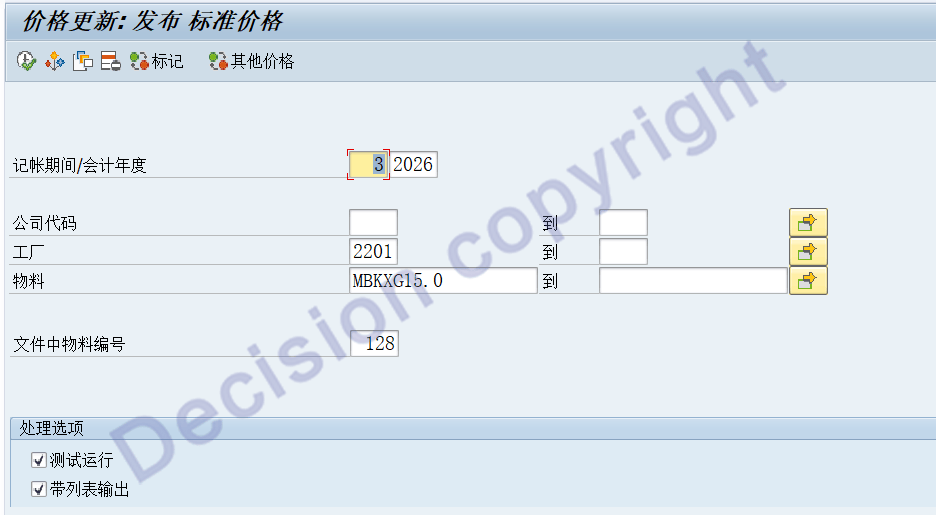
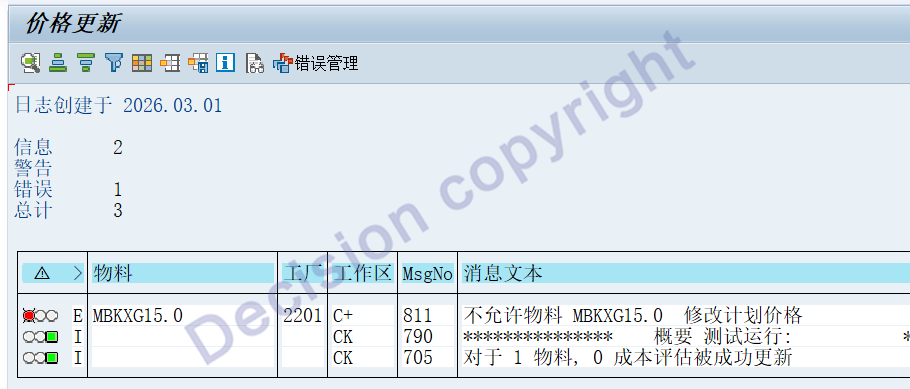
When the new period is opened and the standard cost is published using transaction codes CK24 or CKME, the system prompts C+811. What is the reason for this? How should it be handled?
[Problem Analysis]
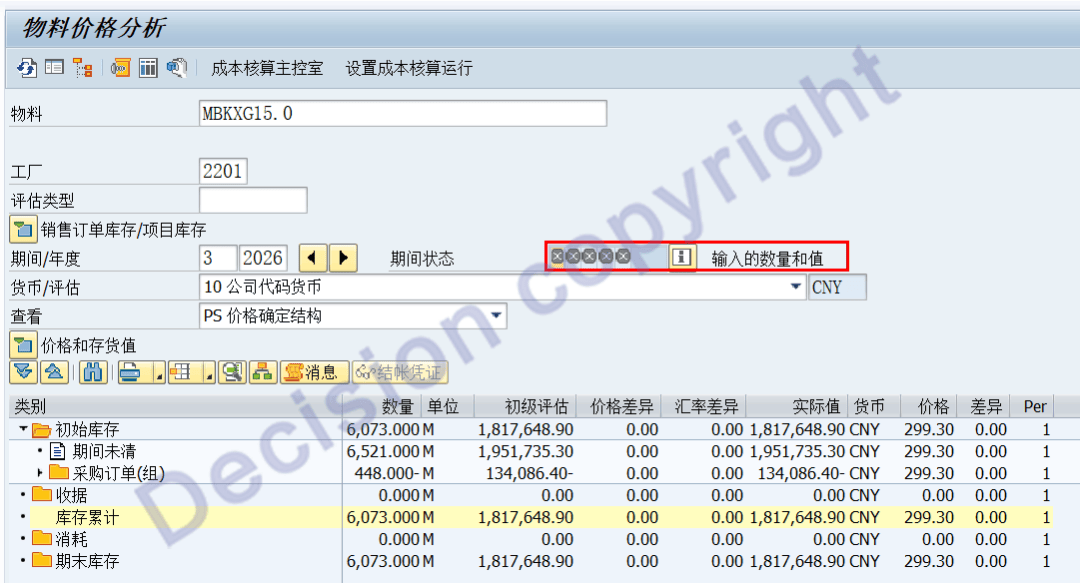
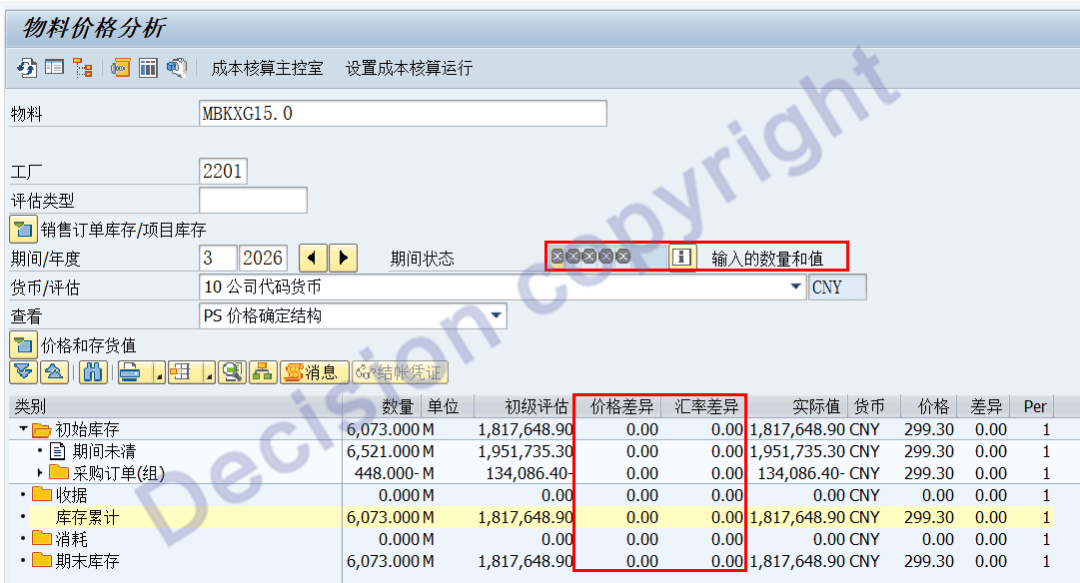
1. By viewing the transaction code CKM3N, when the transaction code MMPV was opened in March, another company STO outbound transaction was conducted in February. This resulted in an additional outbound of 448M in the March period, causing the material status in the new period to change to: 30.
2. In the SAP material classification ledger, the material status includes the following:
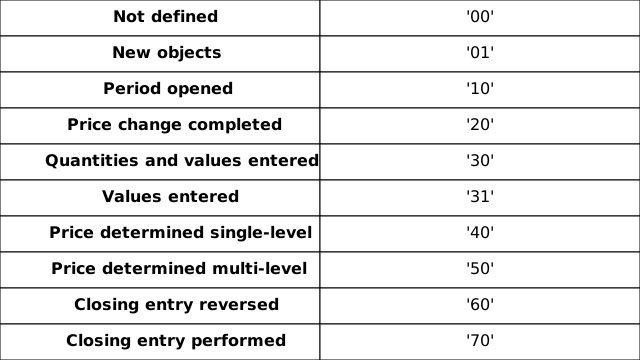
① When the new period is opened:
Material status = 10 Period opened
② When the standard cost for the new period is set:
Material status = 20 Price change completed
③ When there is material movement in the new period:
Material status = 30 Quantities and values entered
3. During the new period, the standard cost is to be released. The material status must be less than 30 "Quantities and values entered";
If the material status is greater than or equal to 30 "Quantities and values entered", the system will display an error message of C+811.
4. SAP conducts this check mainly within the ECC6.0 system. During a certain period (within a month), only one standard cost can be used. When allocating the differences at the end of the period, the differences are allocated based on the quantity relationship, without considering different receipts and issuances using different standard costs during the same period.
This issue has been optimized in the subsequent S4 version, allowing multiple standard costs for the same period. When allocating the cost differences, it will consider whether each receipt and issuance is based on a different standard cost.
5. Carefully examining the transaction code CKM3N, it can be seen that this material has no price differences or exchange rate differences. Therefore, it can be considered to forcibly reset the status of this material to 10 Period opened.
6. SAP NOTES 574930 - Resetting material ledger status:The tool program ZCKML_RESET_STATUS_OF_PERIOD has been provided for processing.
This note provides a program that allows the status to be reset to 'Period opened' (10) under the following conditions: Only under the following conditions will it be permitted to reset the status to 10 Period Opened:
- Goods movements are completely reversed All material receipts, issuances and movements have been reversed.
- The collected price differences and exchange rate differences are zero in all currencies. Generally, this is also possible by reversing all transactions that have been carried out. All price differences and exchange rate differences among currencies are zero.
- The status of the previous period is not 'Closing entry performed'. The status for the previous period was not 70 and the settlement was not completed.
- The material is not locked by another user. The materials have not been locked by any other users.
- The relevant period is the current period. After resetting the status, it is possible to carry out price changes in the period again. The material status allows modification for the current period.
[Solution]
1. Install patch NOTES 574930 - Resetting material ledger status.
2. Transaction code SE38, executing the program ZCKML_RESET_STATUS_OF_PERIOD.

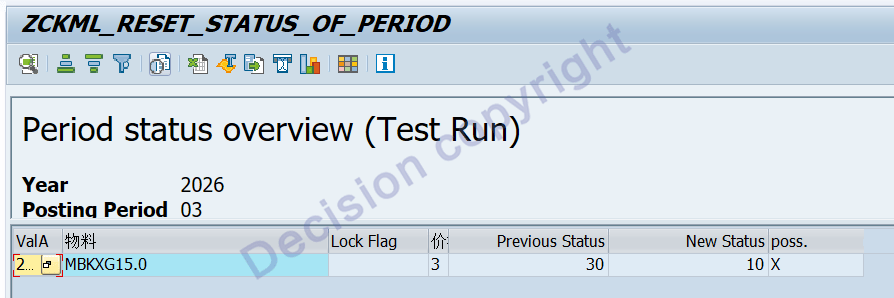
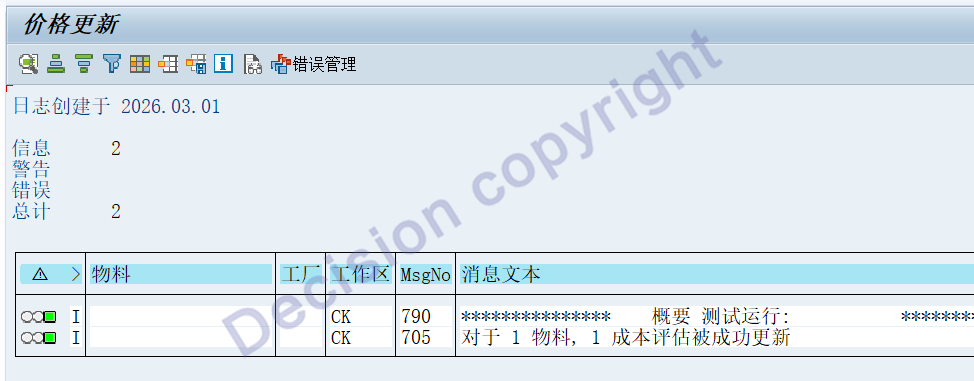
After the test run is successful, the formal operation can be carried out.
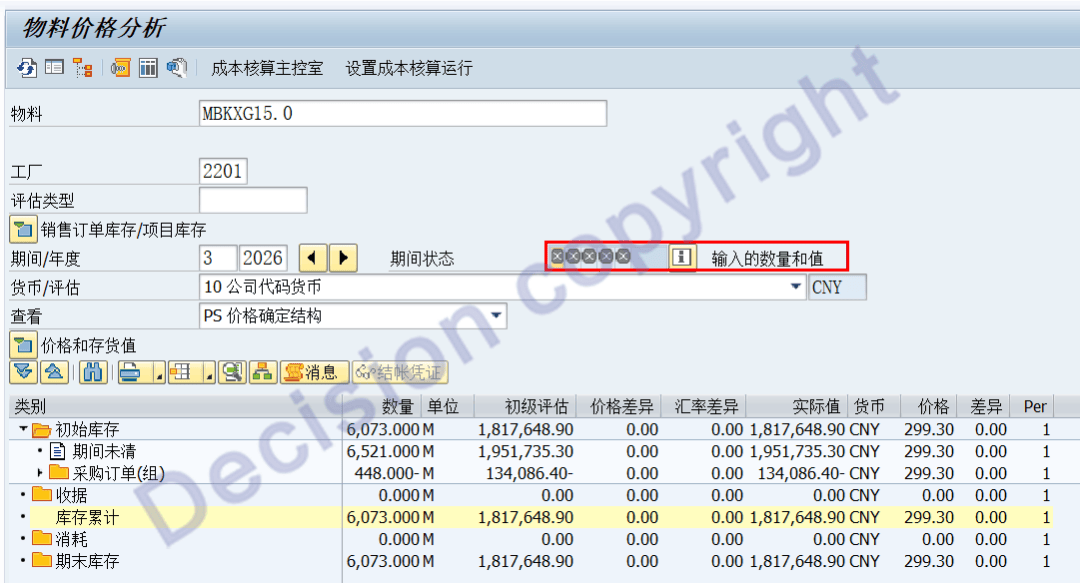
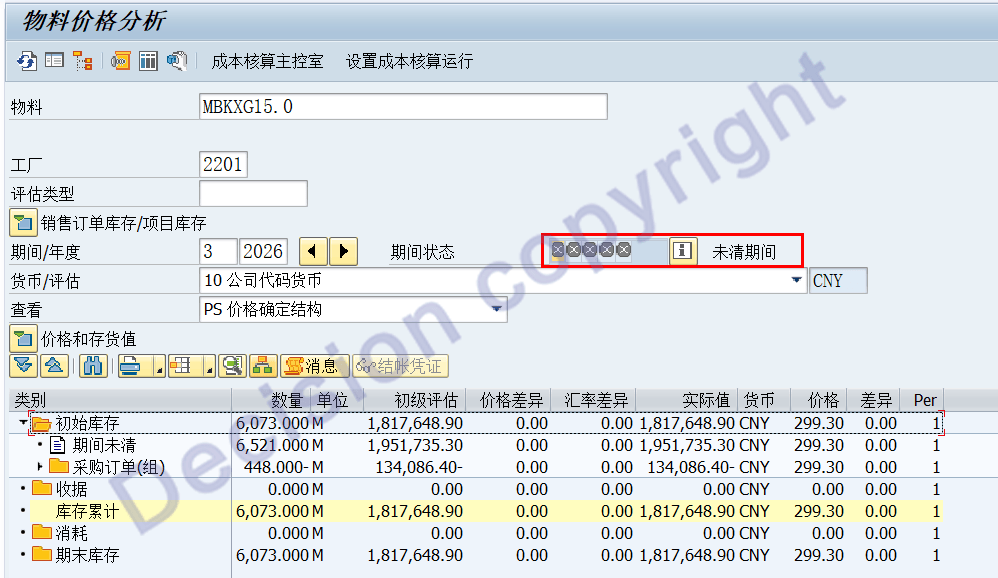
3. Transaction code CKM3N compares the changes before and after the modification.
Before modification: Material status = 30 Quantities and values entered
Modified version: Material status = 10 - Period opened.
4. Transaction code CK24 has been used to set the standard costs. The test release has been successful!
5. After the new standard cost is released, by checking the transaction code CKM3N, you can see that the material status = 20 - Price change completed.
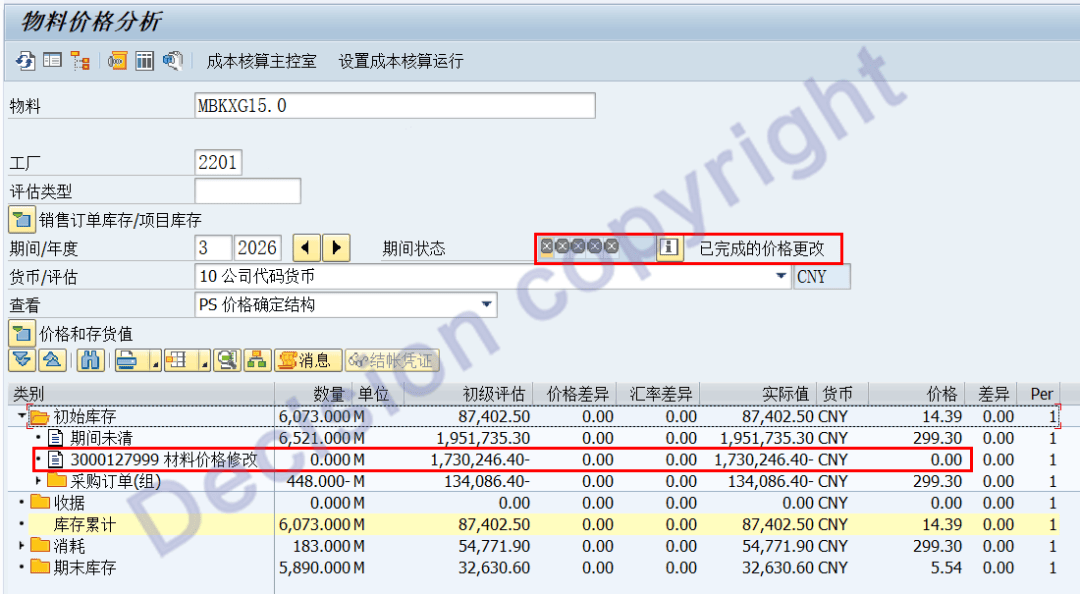
The standard cost has been revised from the original 299.30 yuan per square meter to 14.39 yuan per square meter.
【Service Guide】
For more information on SAP courses, project consultation and operation and maintenance, please call Decision's official consultation hotline: 400-600-8756

【About Decision】
Global professional consulting, technology and training service provider, SAP gold partner, SAP software partner, SAP implementation partner, SAP official authorized training center. Twenty years of quality, trustworthy!