






 Time: 2026-10-16
  Views: 5

[Foreword]
Decision has been deeply involved in the SAP field for more than 20 years and has been praised by many customers. In order to better help customers implement digital projects, the "Decision Expert Column" is completely free and open source, paying tribute to Musk's open source spirit!
Based on the senior capabilities of Decision's expert consultant team with more than 20 years of SAP experience, combined with Decision's 1,000+ successful project cases, this article summarizes and publishes the corresponding research experience and suggestions of enterprises in promoting ERP project implementation, and continues to escort the SAP implementation and delivery of enterprises.
[Problem Description]
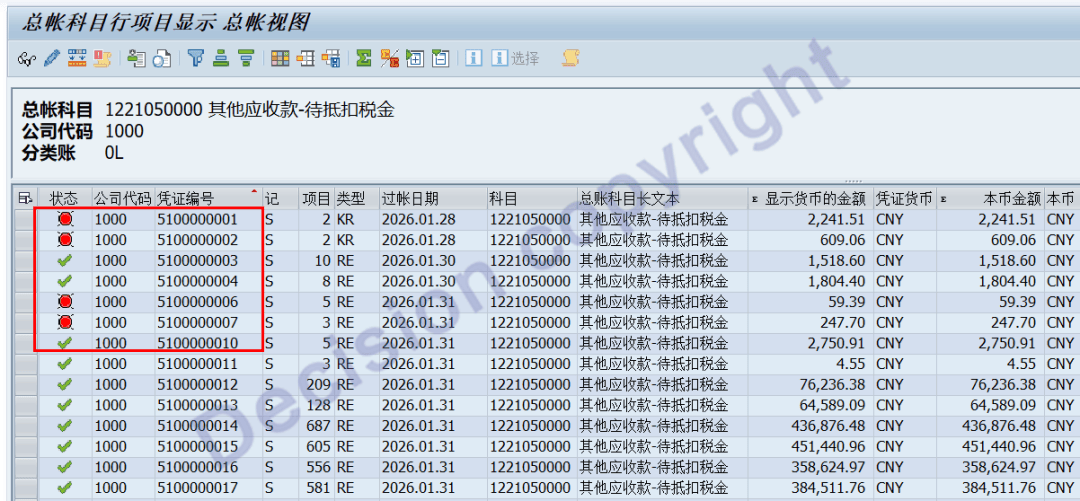
When viewing the transaction code FAGLL03 and checking the line items of the account: 1221050000 - Other Receivables - Pending Deducted Taxes, it was found that some line items were in red (unresolved items), some were in green (resolved items), and some were marked with a check (not enabling the management of unresolved items). Why does this account's line items have the management of unresolved items enabled at one time and disabled at another?
【Key Words】
Uncleared Item Management, Activation of Uncleared Item Management, Deactivation of Uncleared Item Management, SKB1-XOPVW, BSEG-XOPVW, BSAS-XOPVW, BSIS-XOPVW
[Problem Analysis]
1. Whether the "Uncleared Items Management" function is enabled for the subject, transaction code FS00, can be queried. The corresponding data is stored in SKB1-XOPVW.
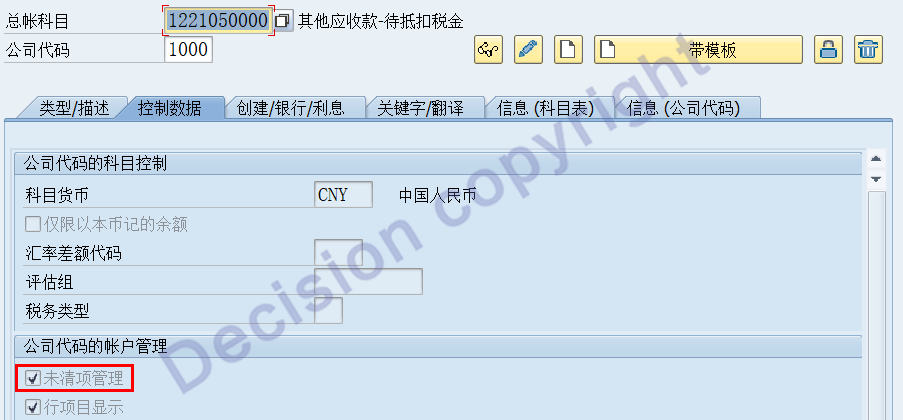
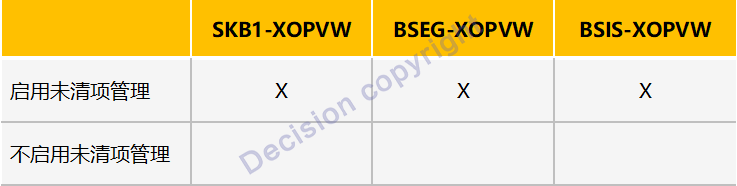
2. During voucher posting, (1). If the "Uncleared Item Management" field in the subject master data is set to "Yes", SKB1-XOPVW = X, then when the posted line items are stored in the BSIS table, BSIS-XOPVW = X, indicating that the uncleared item management is enabled for the voucher line items; (2). If the "Uncleared Item Management" field in the subject master data is set to "Yes" and SKB1-XOPVW is empty, then when the posted line items are stored in the BSIS table, BSIS-XOPVW = empty, indicating that the uncleared item management is not enabled for the voucher line items.
3. When modifying the uncleared item management in the subject master data, the system will check if the current subject balance is zero. If it is not zero, the modification is not allowed.
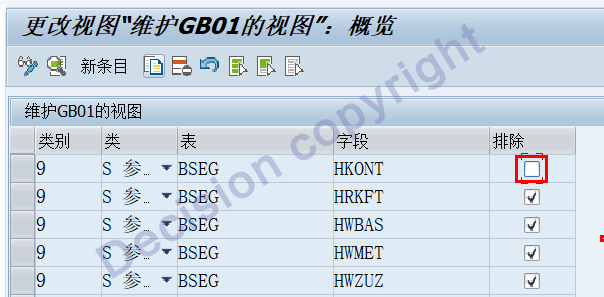
4. For the same subject, sometimes it enables uncleared item management during posting and sometimes does not during posting, mainly caused by the substitution of the voucher line items. In the standard functions of the SAP system, the BSEG-HKONT subject is by default not allowed for subject substitution. However, in the transaction code SM30, in the input view: VWTYGB01, you can set the exclusion as empty as shown in the following figure:
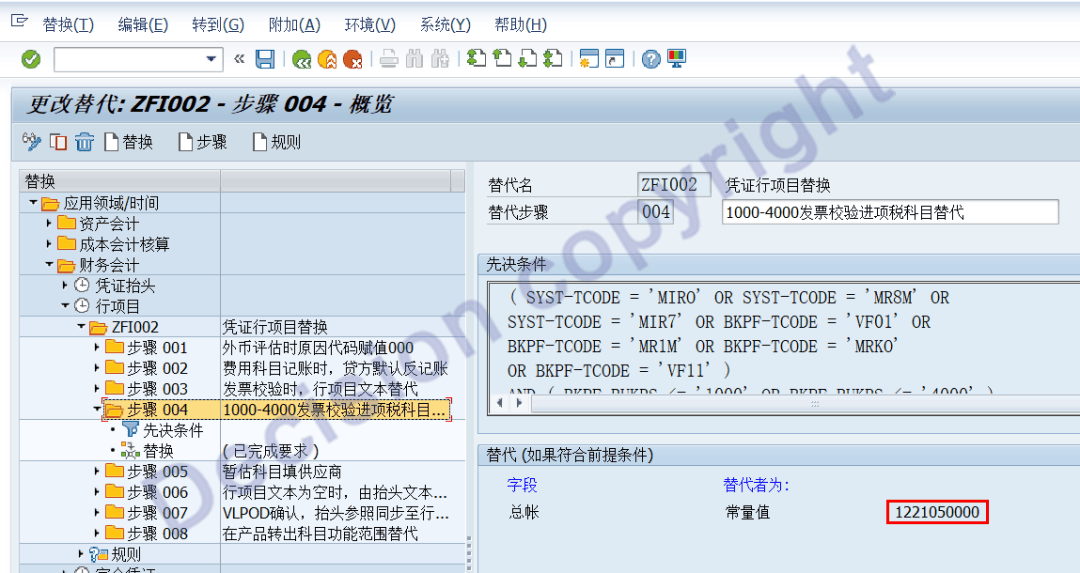
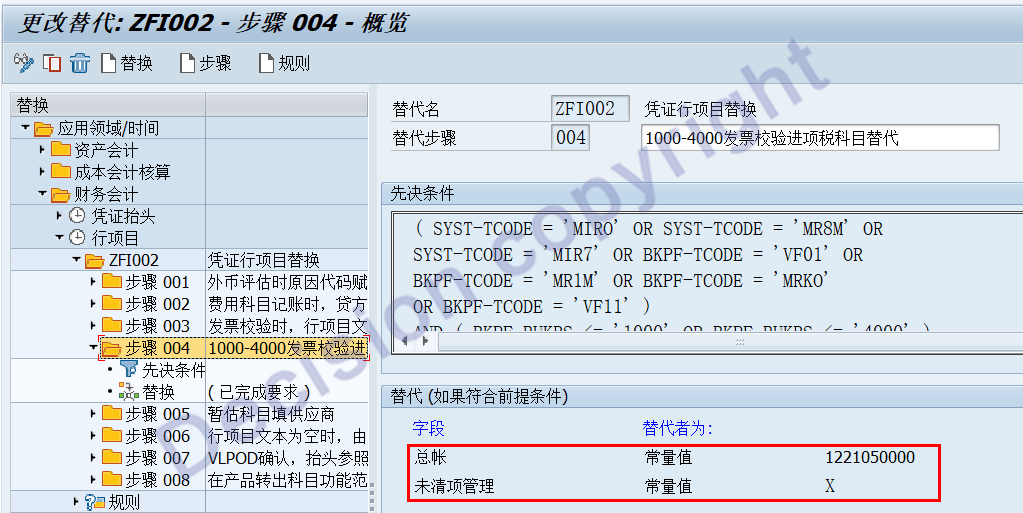
5. In the transaction code GGB1, it can be seen that the tax account configured in FTXP has been replaced with: 1221050000.
6. The accounting code configured for the transaction code FTXP and code J1 for input tax is: 2221010200.
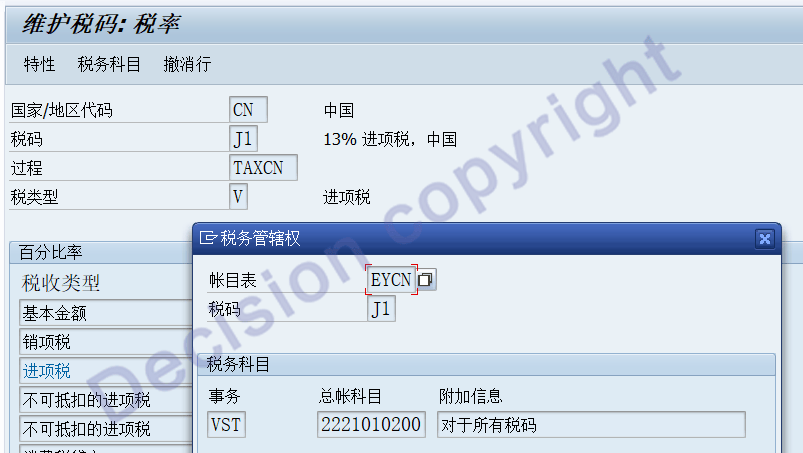
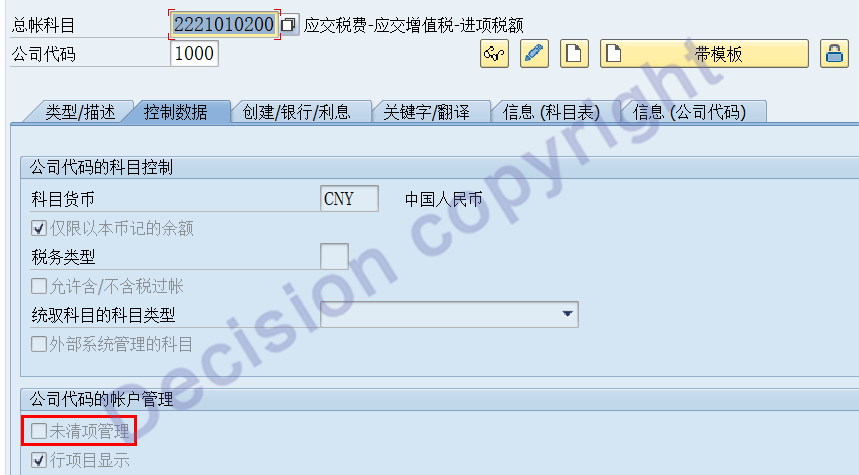
7. By using the transaction code FS00, you can see the accounts configured for input tax code: 2221010200. This account does not have the management function for unactivated and unsettled items.
Summary:
1. In the standard functions of the SAP system, the BSEG-HKONT account is by default not allowed for account substitution.
2. If substitution of accounts is necessary, it is recommended to use accounts with the same attributes for substitution.
For example: S-type accounts can be substituted for S-type accounts;
For example: D-type accounts can be substituted for D-type accounts;
For example: K-type accounts can be substituted for K-type accounts;
3. If substitution of accounts is necessary and BSEG-XOPVW is also substituted simultaneously, the substitution should be based on the same master data of the accounts.
[Solution]
1. Adjust the substitution in the GGB1 transaction code to prevent the emergence of new problem sources.
2. Using the SAP tool program, open or close the uncleared item management:
Version 1 of ECC6.0 EHP3 and earlier:
Program: RFSEPA02 By changing the main record to open the uncleared item management
Program: RFSEPA03 By changing the main record to close the uncleared item management
Starting from version 2 of ECC6.0 EHP3:
Program FAGL_SWITCH_TO_OPEN_ITEM Transaction code FAGL_ACTIVATE_OP Uncleared item management activation
Version 3 of S4 system:
Program FINS_SWITCH_TO_OPEN_ITEM Transaction code FINS_ACTIVATE_OIM Uncleared item management activation
3. For the above systems as ECC6.0 EHP8, the transaction code FAGL_ACTIVATE_OP can be used for processing. However, for those cases where half of the process involves uncleared item management and the other half does not, the current tool programs cannot handle it.

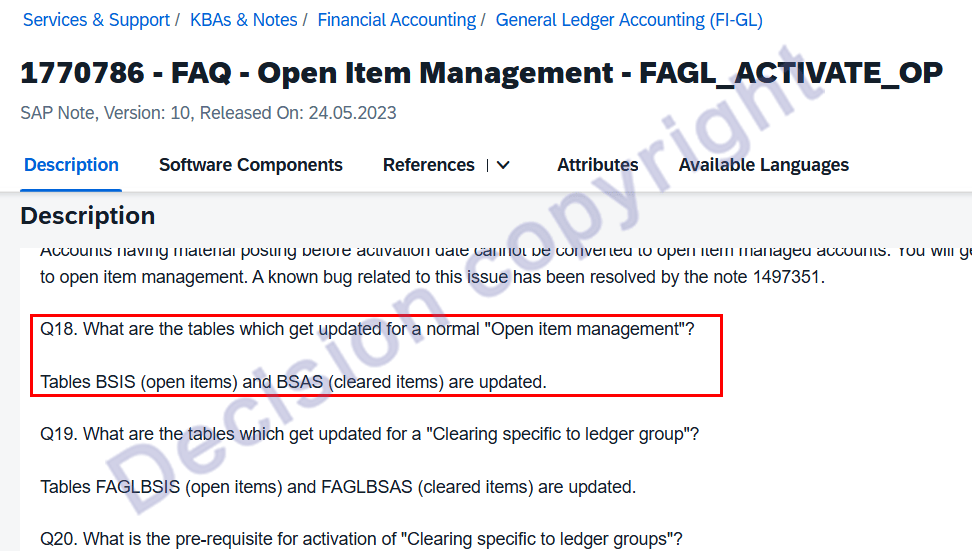
4. In SAP NOTES 1770786, the uncleared items management is discussed, mainly involving the update of the data tables: BSIS/BSAS
1770786 - FAQ - Open Item Management - FAGL_ACTIVATE_OP
Taking into account that currently in the system, there is no activation of profit center voucher splitting, the differences in the management of outstanding items and non-management in the data table are as follows:
For this case, the subject master data is already enabled for uncleared item management, but it is only a FI line item replacement without timely synchronization and update.
Therefore, the test was conducted in the DEV/QAS system, and the subject posting line items: BSEG-XOPVW and BSI-SXOPVW were changed to "Yes".
5. After the above modifications: standard clearance, partial clearance, and remaining clearance were processed normally.
Precondition: there is an activated profit center voucher splitting.
【Service Guide】
For more information on SAP courses, project consultation and operation and maintenance, please call Decision's official consultation hotline: 400-600-8756

【About Decision】
Global professional consulting, technology and training service provider, SAP gold partner, SAP software partner, SAP implementation partner, SAP official authorized training center. Twenty years of quality, trustworthy!