






 Time: 2026-05-09
  Views: 604

[Foreword]
Decision has been deeply involved in the SAP field for more than 20 years and has been praised by many customers. In order to better help customers implement digital projects, the "Decision Expert Column" is completely free and open source, paying tribute to Musk's open source spirit!
Based on the senior capabilities of Decision's expert consultant team with more than 20 years of SAP experience, combined with Decision's 1,000+ successful project cases, this article summarizes and publishes the corresponding research experience and suggestions of enterprises in promoting ERP project implementation, and continues to escort the SAP implementation and delivery of enterprises.
[Problem description]
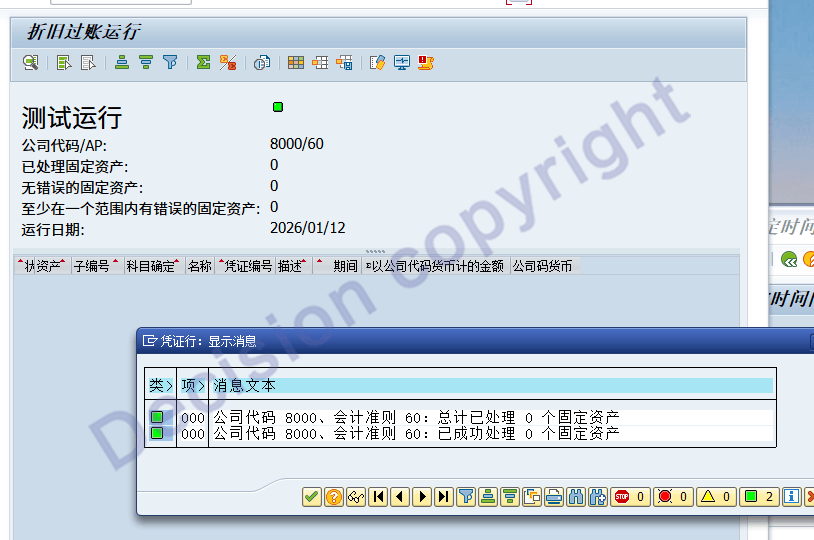
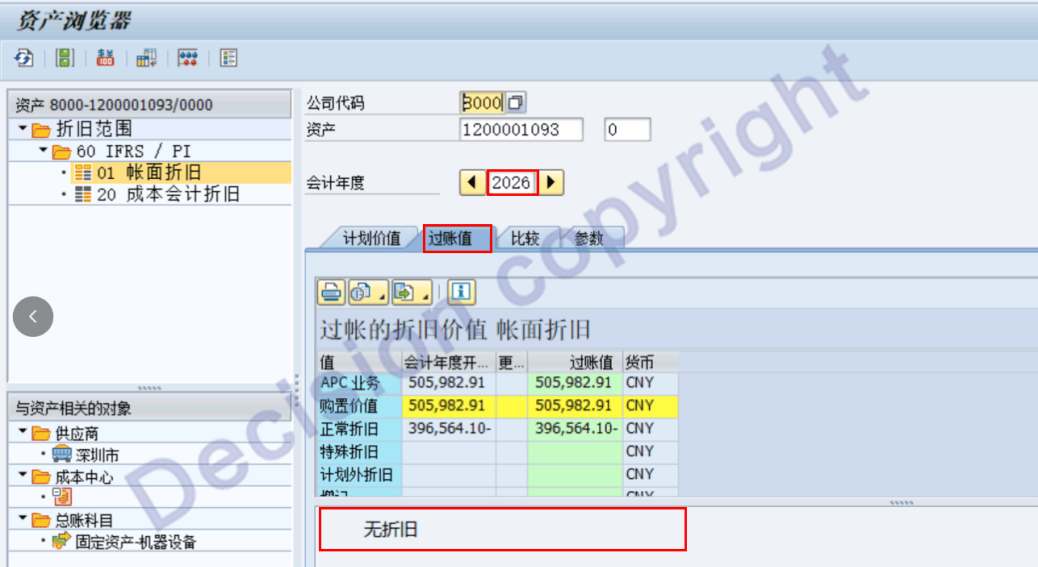
Annual balance carry-over. The transaction code FAGLGVTR prompts AU272, as shown in the following figure. To prevent the carry-over from failing, the user subsequently re-performed the carry-over. During the re-carry-over, there was no error message. However, for transaction code AFAB, when running the depreciation for the new year in January, the system indicated that there was no planned depreciation amount. For transaction code AS03, viewing individual assets, it was discovered that there were no planned depreciation data for the assets in the new year. What is the problem and how should it be handled?

[Problem Analysis]
1. When the transaction code FAGLGVTR transfers the balance to the new fiscal year, in addition to transferring the balance of the general ledger accounts, it will also transfer the asset balance. When the asset balance is transferred to the new fiscal year, the new year's planned depreciation for the assets will also be calculated.
2.When the transaction code FAGLGVTR is executed, there is no data for the asset's new year plan depreciation. The reason is that the S4 version is too low (problems exist in 100-102).
3.According to the program prompts, you can add the depreciation data for the asset's New Year plan.
[Solution]
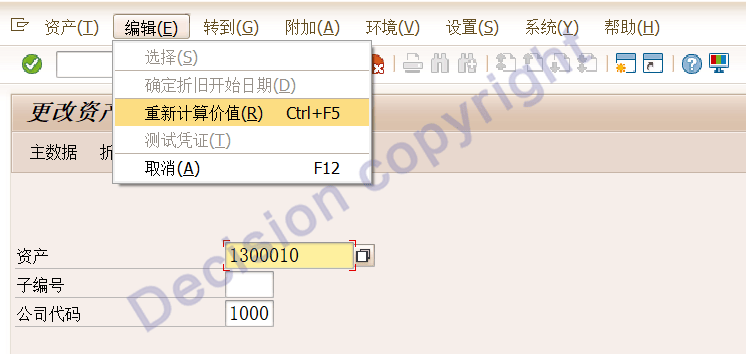
1. For individual asset supplementation AS02, enter the asset number and company code, then click: Recalculate Value, and then save:
2. Batch processing, transaction code: AFAR.
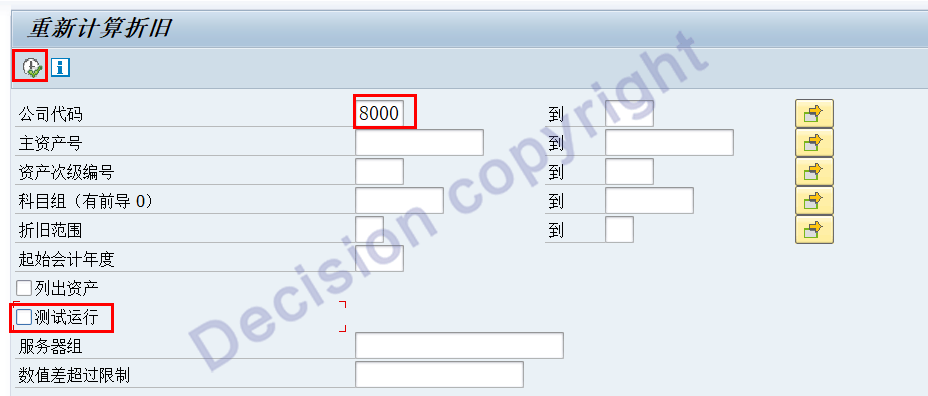
Note: Conduct a test run first, then proceed with the formal operation.
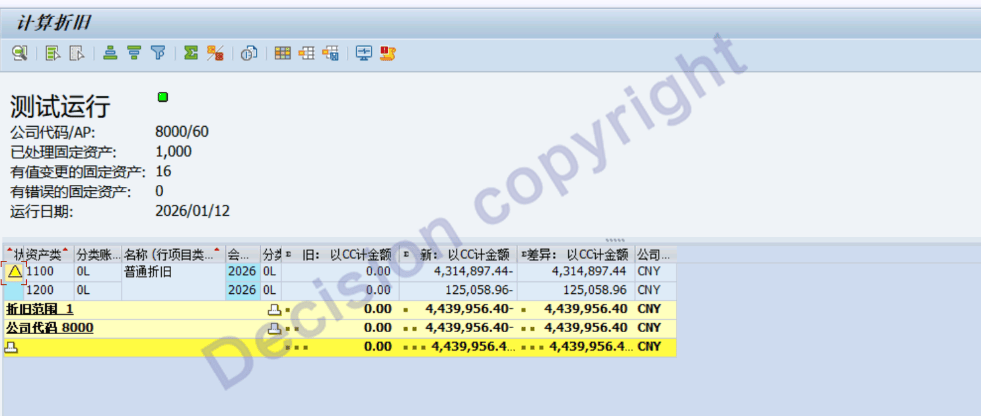
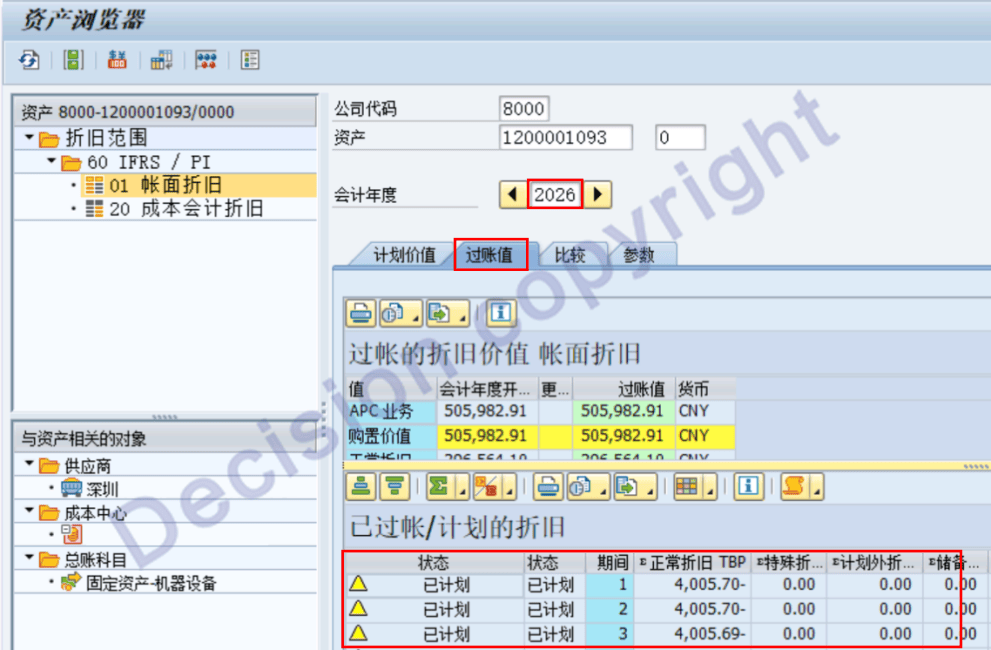
3. After processing, transaction code AS03 is used to view the depreciation of individual assets: There are already corresponding planned depreciation data as follows:
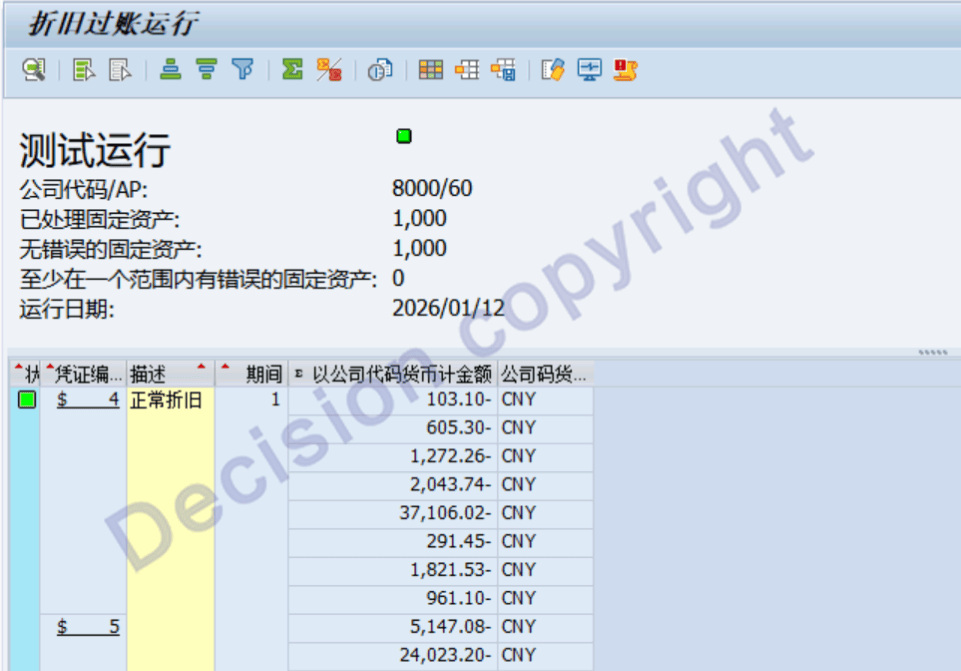
4. After processing, transaction code AFAB was executed. The 1-month depreciation test was run and the test was successful.
NOTE:
2617420 - Missing/incomplete message text during balance carryforward
【Service Guide】
For more information on SAP courses, project consultation and operation and maintenance, please call Decision's official consultation hotline: 400-600-8756

【About Decision】
Global professional consulting, technology and training service provider, SAP gold partner, SAP software partner, SAP implementation partner, SAP official authorized training center. Twenty years of quality, trustworthy!