






 Time: 2026-04-29
  Views: 492

[Foreword]
Decision has been deeply involved in the SAP field for more than 20 years and has been praised by many customers. In order to better help customers implement digital projects, the "Decision Expert Column" is completely free and open source, paying tribute to Musk's open source spirit!
Based on the senior capabilities of Decision's expert consultant team with more than 20 years of SAP experience, combined with Decision's 1,000+ successful project cases, this article summarizes and publishes the corresponding research experience and suggestions of enterprises in promoting ERP project implementation, and continues to escort the SAP implementation and delivery of enterprises.
[Problem description]
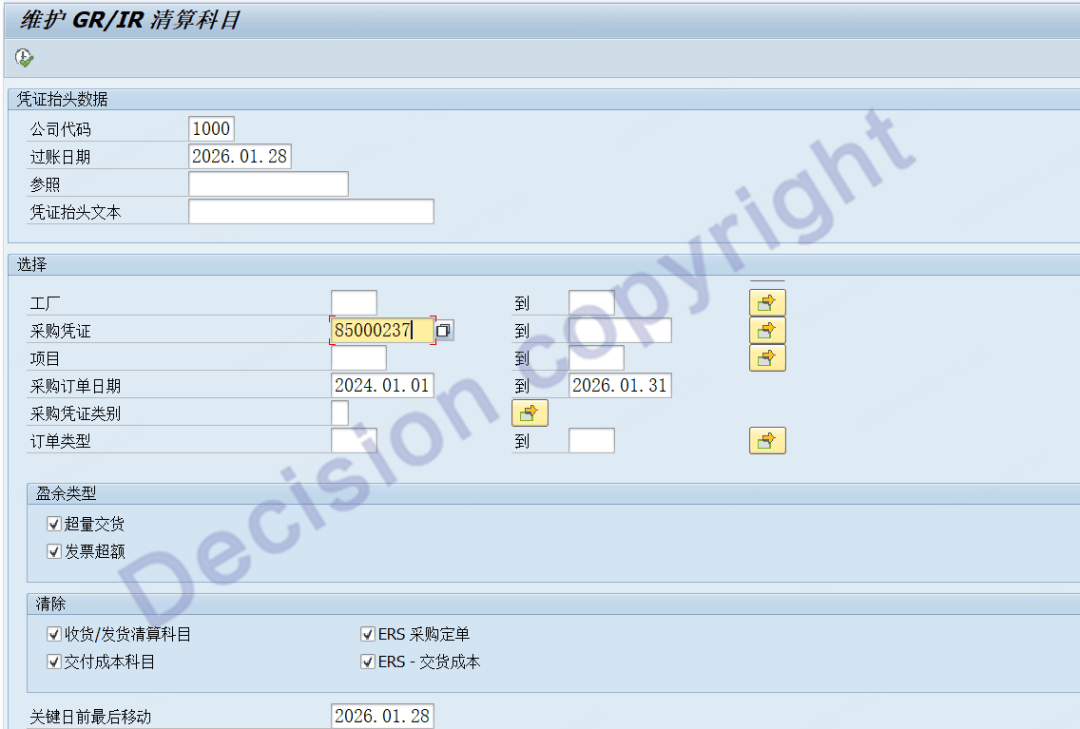
After the purchase order was posted to the warehouse through BAPI, a problem was discovered and it was repeatedly reversed. Eventually, the quantity for warehousing has been reversed to zero, and the provisional quantity in GRIR is zero, but the amount in GRIR is not zero. When using transaction code MR11 to handle the provisional balance, the system prompts that there is no data. How should this be handled?


[Problem Analysis]
1. When the transaction code MR11 is used to handle the unbalanced balance of GRIR, the following logic is followed:
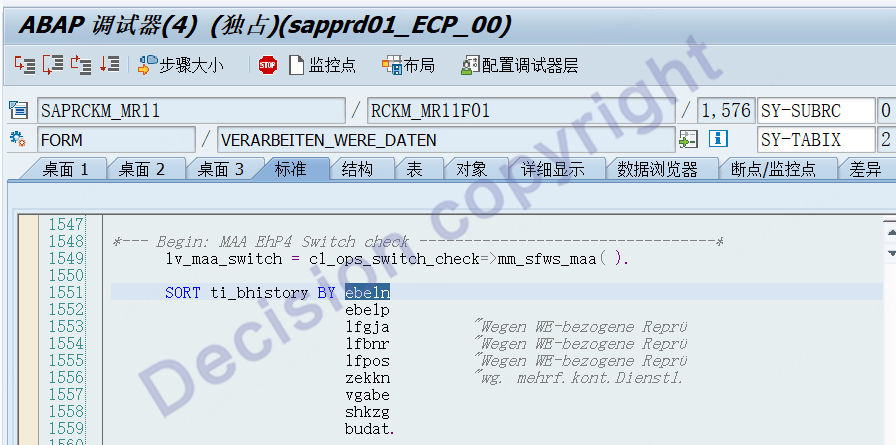
Read the visual chart: V_CKMLGRIR
After reading, sort by the following fields: Purchase Order, Order Line Number, Reference Voucher Number, Reference Line Number, Account Allocation Sequence Number...
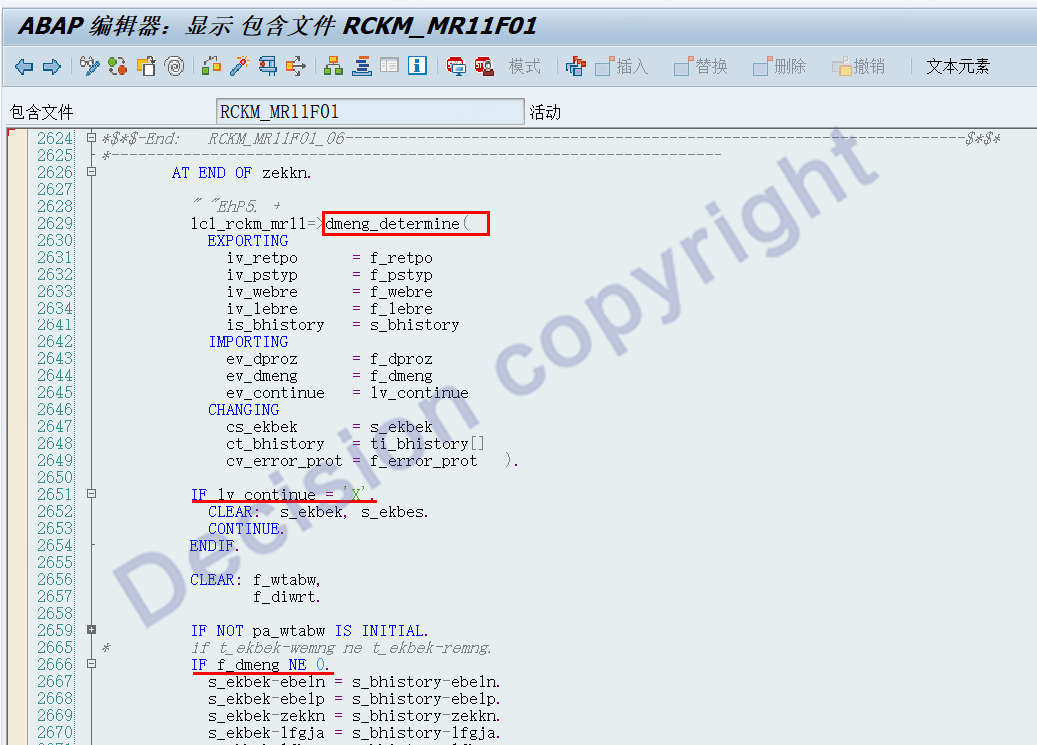
2. When estimating the provisional balance of the total purchase order, MR11 only aggregates the data with quantity balances in the GRIR. When the quantity is 0, it does not aggregate.
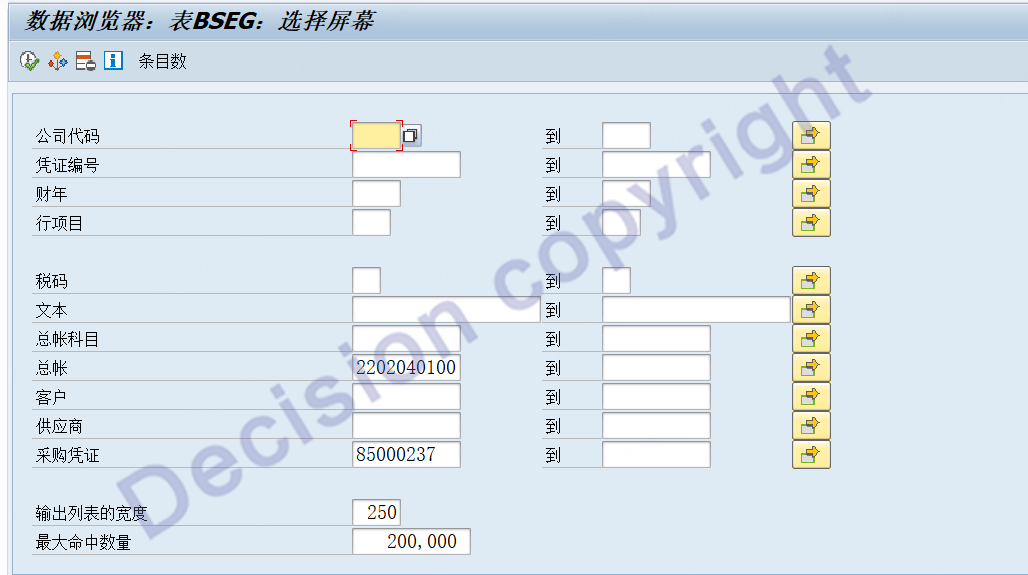
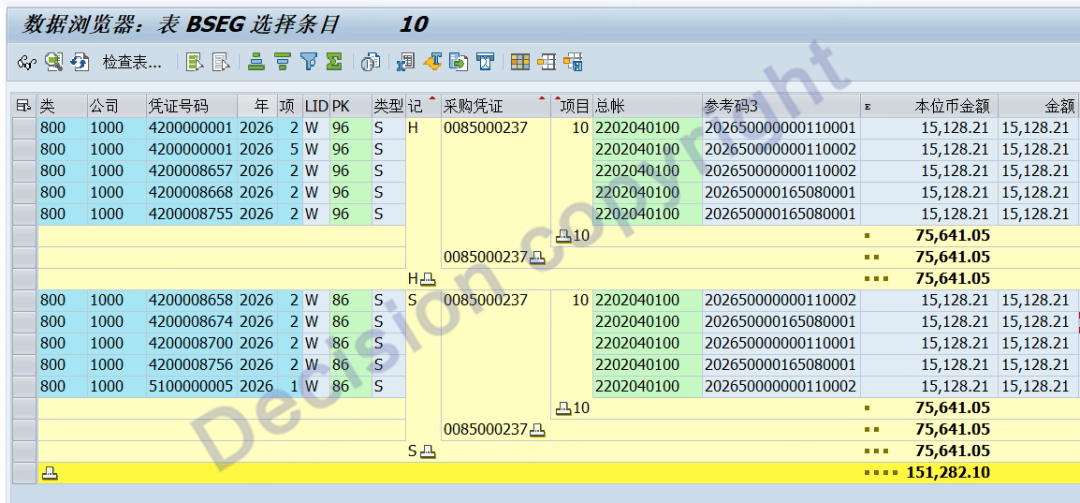
3. The above purchase order. By using transaction code SE16, check the BSEG table to view the provisional accounting amount for the debit and credit entries. It is indeed not balanced:

[Solution]
1. When executing the transaction code MR11, set a breakpoint at line 2651 of the program RCKM_MR11F01:
Set "lv_continue" to "empty", and set "f_dmeng" to "1" (this is an intermediate variable that does not affect the calculation of the GRIR balance). After entering the screen, you can see the following data:
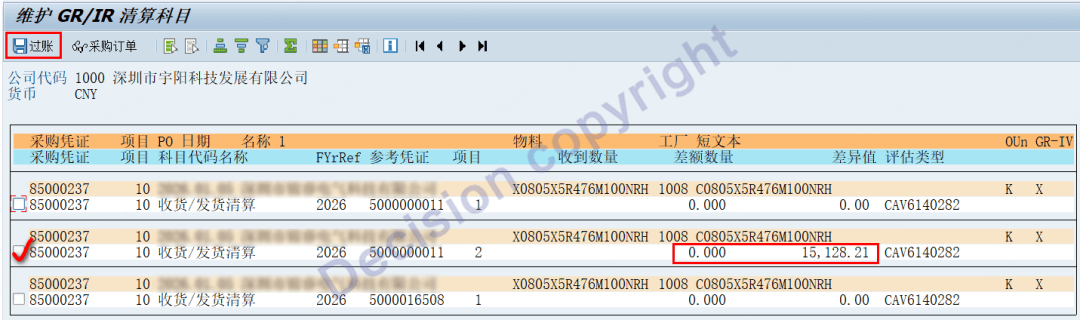
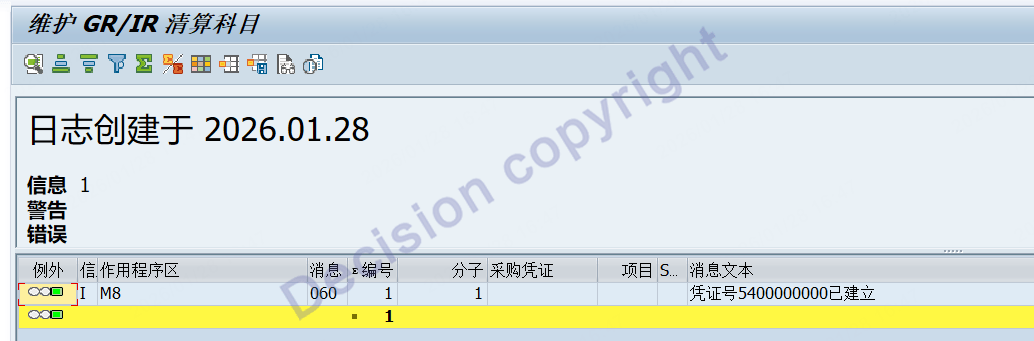
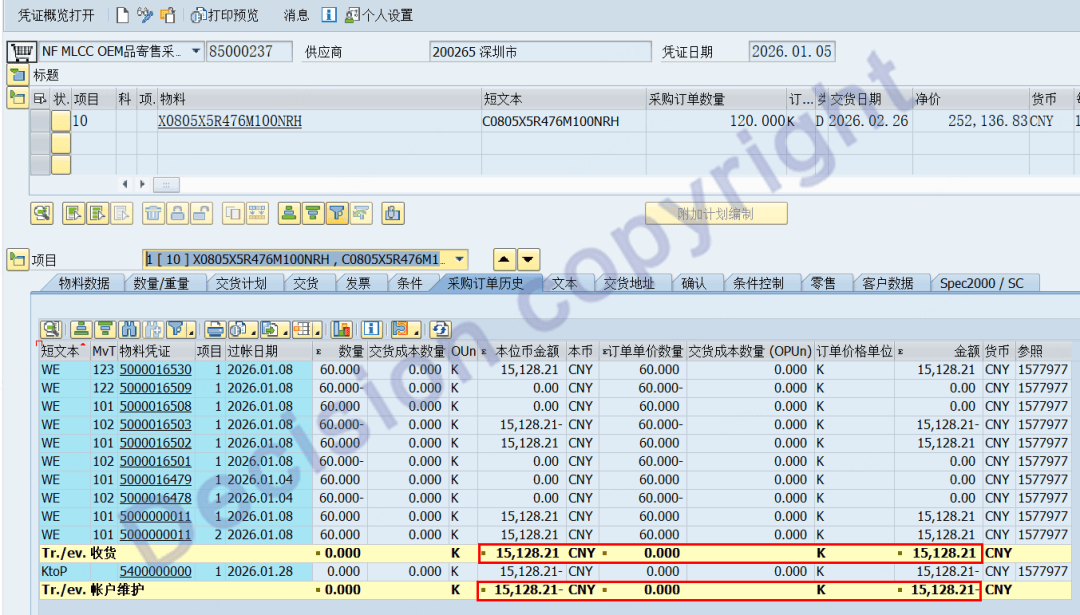
2. Transaction code ME23N is used to view the historical records of purchase order line items.
3. Transaction code SE16, viewing the BSEG table to check the provisional accounting amount of the provisional account, it can be seen that the debit and credit amounts of the provisional account have been settled.
【Service Guide】
For more information on SAP courses, project consultation and operation and maintenance, please call Decision's official consultation hotline: 400-600-8756

【About Decision】
Global professional consulting, technology and training service provider, SAP gold partner, SAP software partner, SAP implementation partner, SAP official authorized training center. Twenty years of quality, trustworthy!