






 Time: 2026-04-01
  Views: 717

[Foreword]
Decision has been deeply involved in the SAP field for more than 20 years and has been praised by many customers. In order to better help customers implement digital projects, the "Decision Expert Column" is completely free and open source, paying tribute to Musk's open source spirit!
Based on the senior capabilities of Decision's expert consultant team with more than 20 years of SAP experience, combined with Decision's 1,000+ successful project cases, this article summarizes and publishes the corresponding research experience and suggestions of enterprises in promoting ERP project implementation, and continues to escort the SAP implementation and delivery of enterprises.
[Problem description]
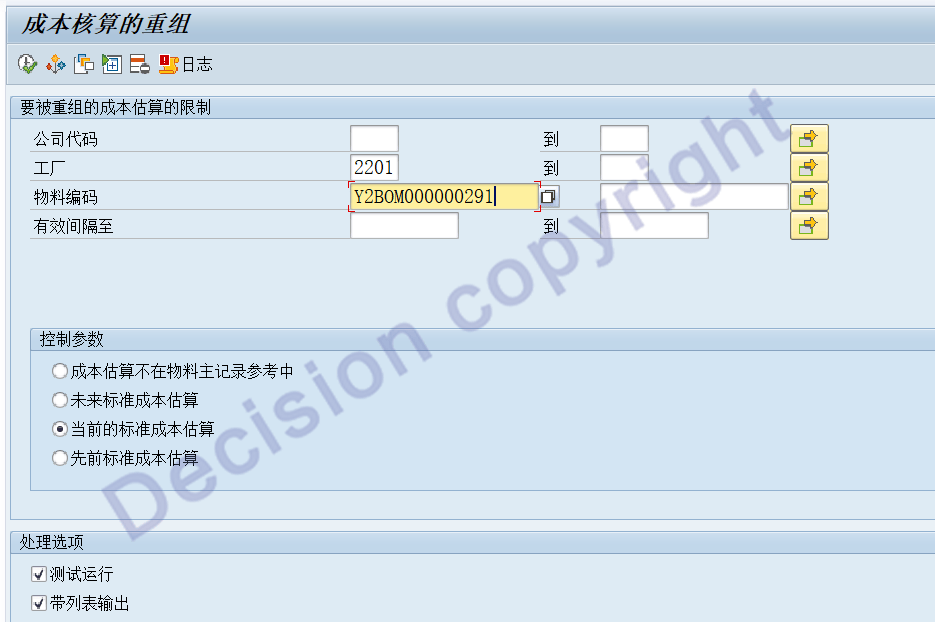
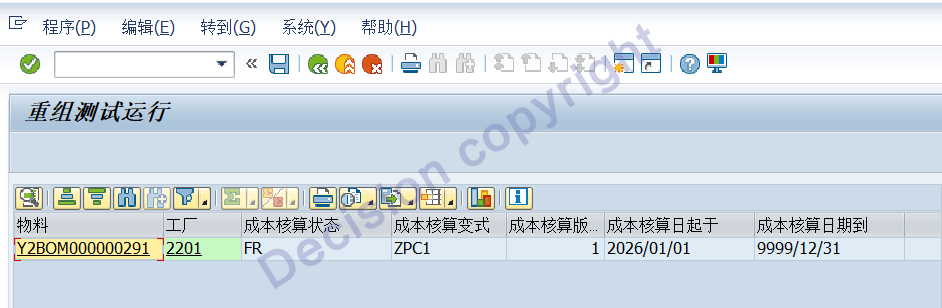
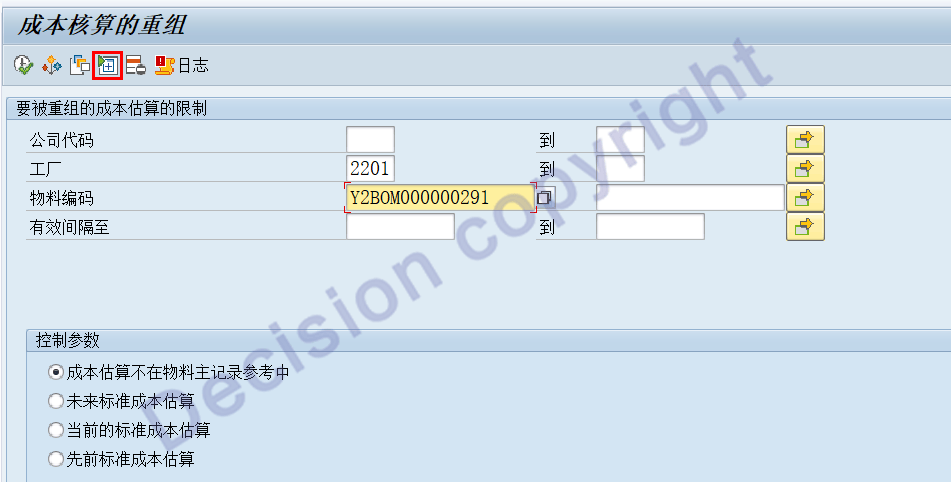
In the CKR1 transaction code, when entering the following information: Factory 2201, Material Y2BOM000000291, and other parameters on the screen, the test is executed. It can be seen that the system has filtered out the corresponding standard cost records that need to be processed; however: When another cost accountant queries, it shows no records. What is the reason for this?
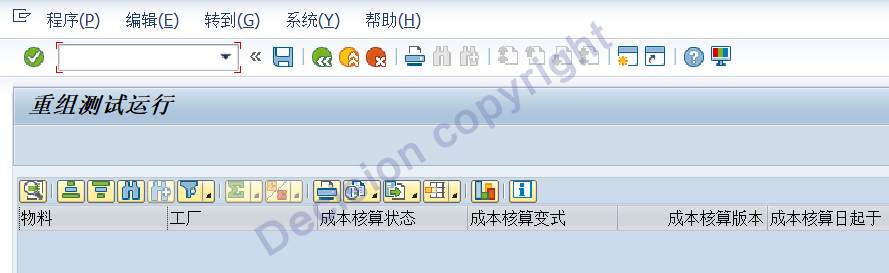
The result shown by another cost accountant:
[Problem Analysis]
1. Transaction code CKR1: Adjusts the CK_F_KEKO_KEPH_READING function to query the standard cost records.
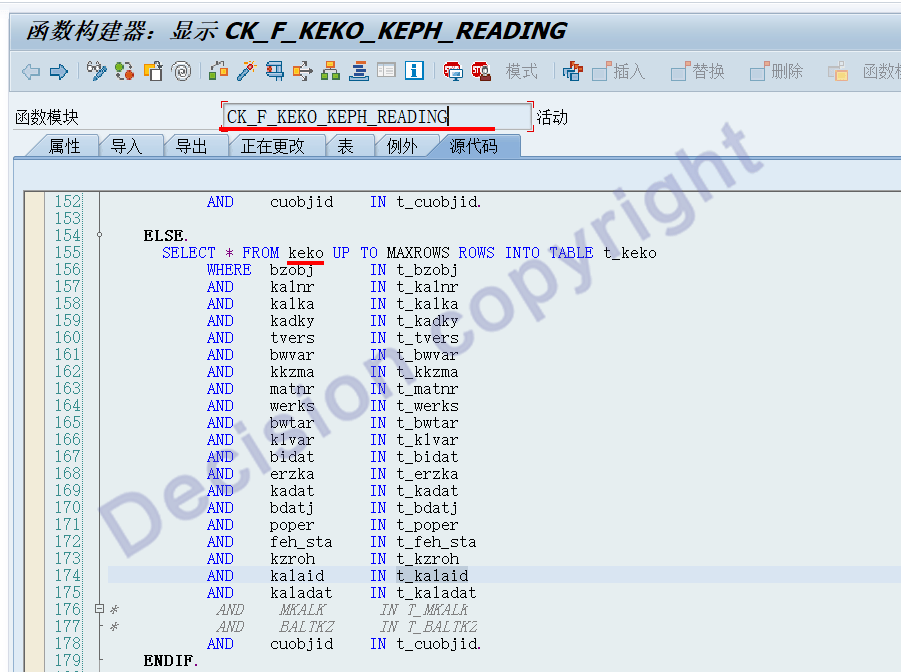
2. Set a breakpoint and check the status of the normal user parameters.
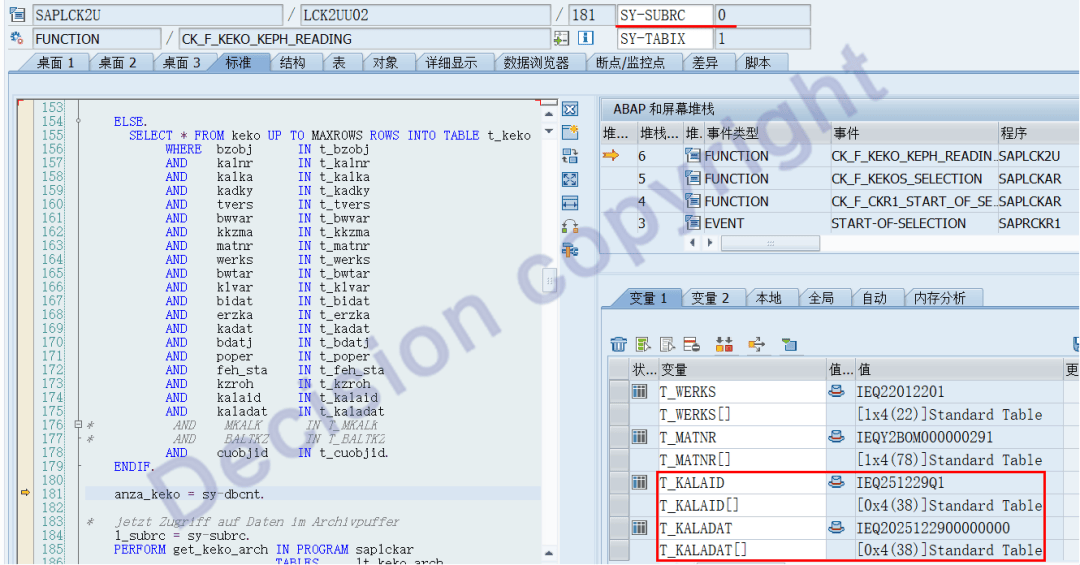
Problematic user parameter situation:
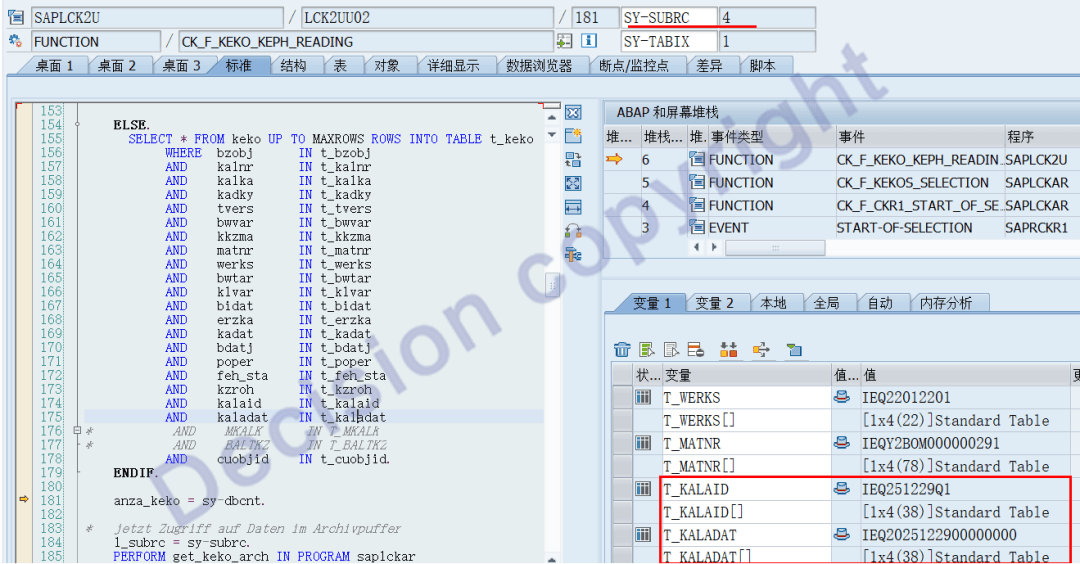
The users who encountered the problem originally had two additional condition parameters: Cost Accounting Run (T_KALAID) and Cost Accounting Run Date (T_KALADAT).
3. Usually: The cost accounting runs on T_KALAID and the accounting date is T_KALADAT. This is done on the CK40N transaction screen.
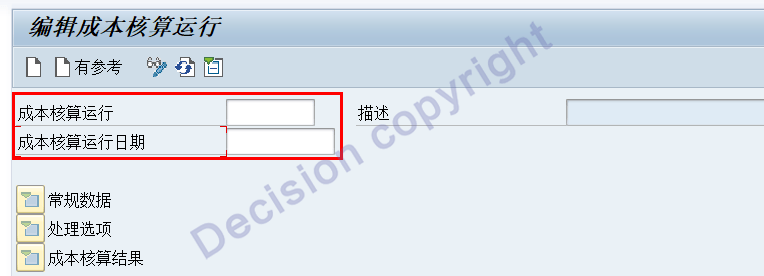
4. Carefully check the CKR1 screen. It turns out that the following entries were made here: Cost Accounting Run - T_KALAID, Cost Accounting Run Date - T_KALADAT.
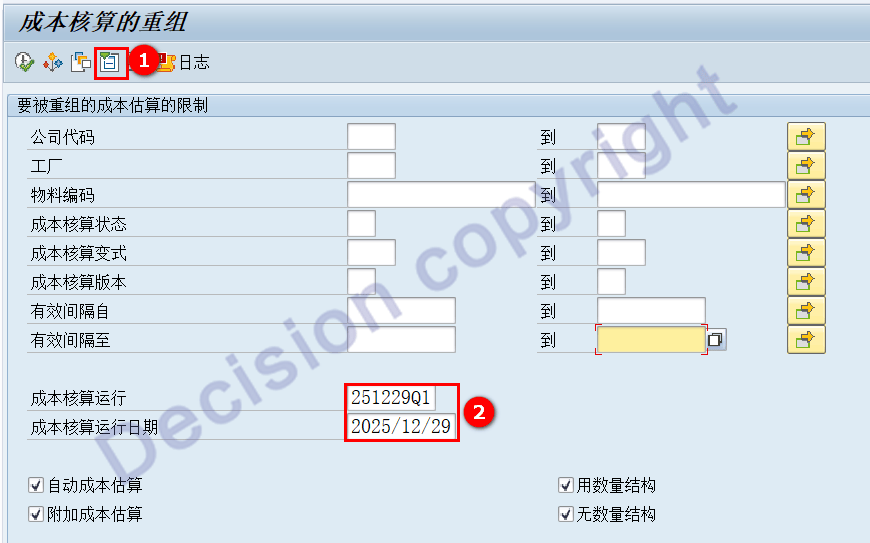
5. After exiting the CKR1 screen and re-entering it, although the additional conditions were turned off on the screen, the system did not clear the conditions in the following fields: Cost Accounting Run T_KALAID Cost Accounting Run Date T_KALADAT
[Solution]
Processing: In transaction code CKR1, click "Expand": Additional Conditions, Clear: Cost Accounting Run T_KALAID, Cost Accounting Run Date T_KALADAT
Alternatively: Log out of the current SAP login, re-login to the SAP system, and then re-enter the CKR1 screen.
【Service Guide】
For more information on SAP courses, project consultation and operation and maintenance, please call Decision's official consultation hotline: 400-600-8756

【About Decision】
Global professional consulting, technology and training service provider, SAP gold partner, SAP software partner, SAP implementation partner, SAP official authorized training center. Twenty years of quality, trustworthy!