






 Time: 2026-03-13
  Views: 940

[Foreword]
Decision has been deeply involved in the SAP field for more than 20 years and has been praised by many customers. In order to better help customers implement digital projects, the "Decision Expert Column" is completely free and open source, paying tribute to Musk's open source spirit!
Based on the senior capabilities of Decision's expert consultant team with more than 20 years of SAP experience, combined with Decision's 1,000+ successful project cases, this article summarizes and publishes the corresponding research experience and suggestions of enterprises in promoting ERP project implementation, and continues to escort the SAP implementation and delivery of enterprises.
[Problem description]
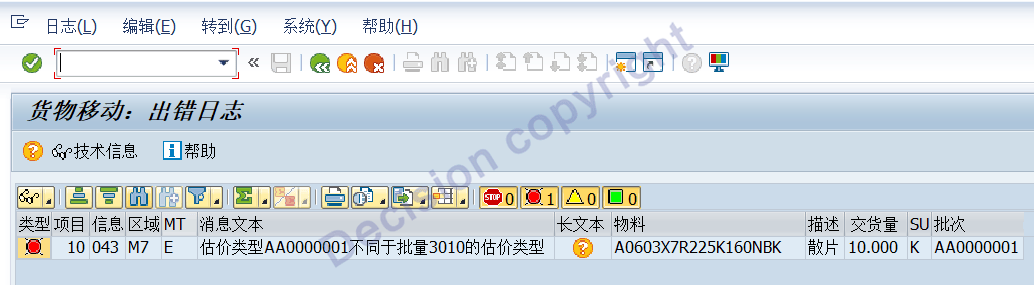
In an inter-company STO transaction, goods are sold from factory 2201 (company code 2200) to factory 10031 (company code 1000). During the sales and shipment process, the system displays an error message M7034 indicating a different assessment type, as shown in the image below. What could be the reason for this, and how can it be resolved?
[Problem Analysis]
1. The current system is ECC 6.0, using a one-step STO (Sales to Order) procurement method between companies. This means that when a sales outbound movement (645) is initiated, a purchaser's entry (101) is automatically generated. Both movement types are recorded in the same material document.
2. Batch segmentation assessment is enabled for material A0603X7R225K160NBK in both plant 2201 and 1003.
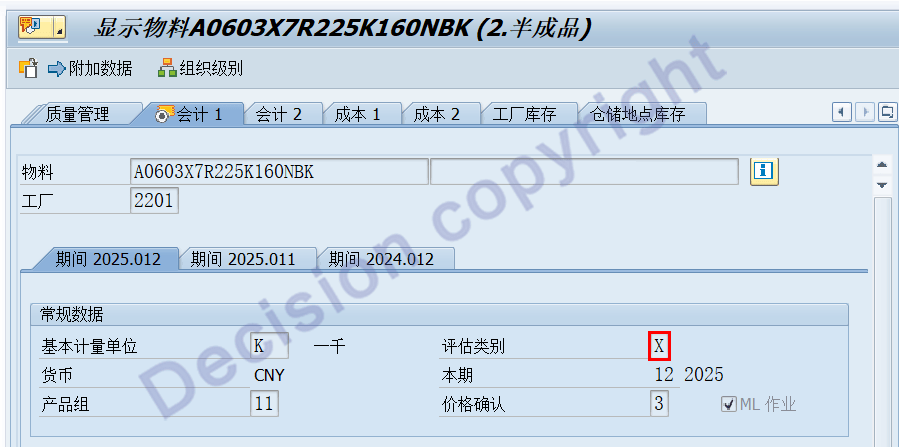
3. Factory 2201, Material A0603X7R225K160NBK, Batch AA0000001, Evaluation Type AA0000001
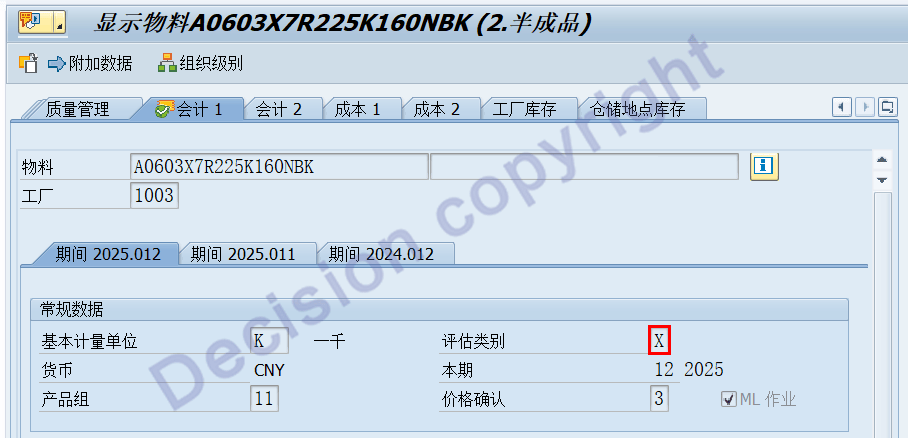
4. Factory 1003 Material A0603X7R225K160NBK Batch AA0000001 Evaluation Type 3310.
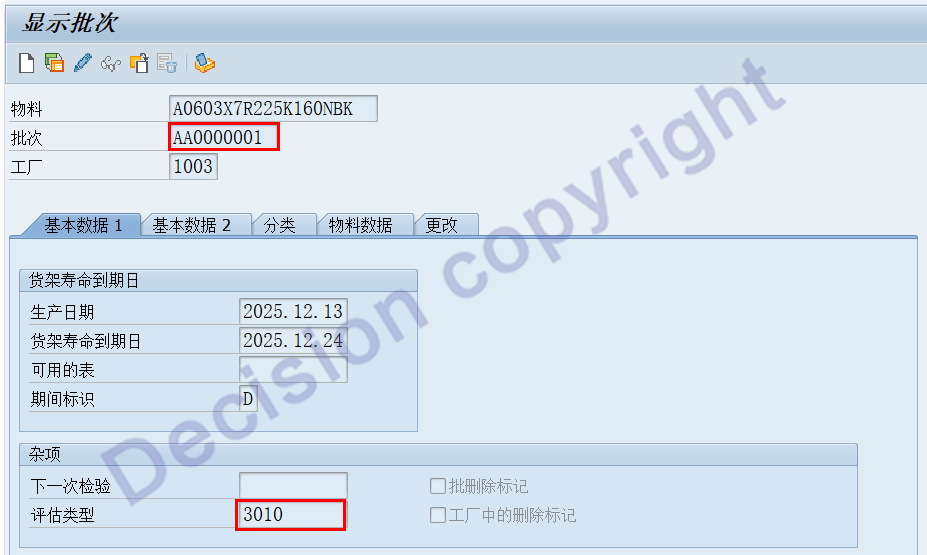
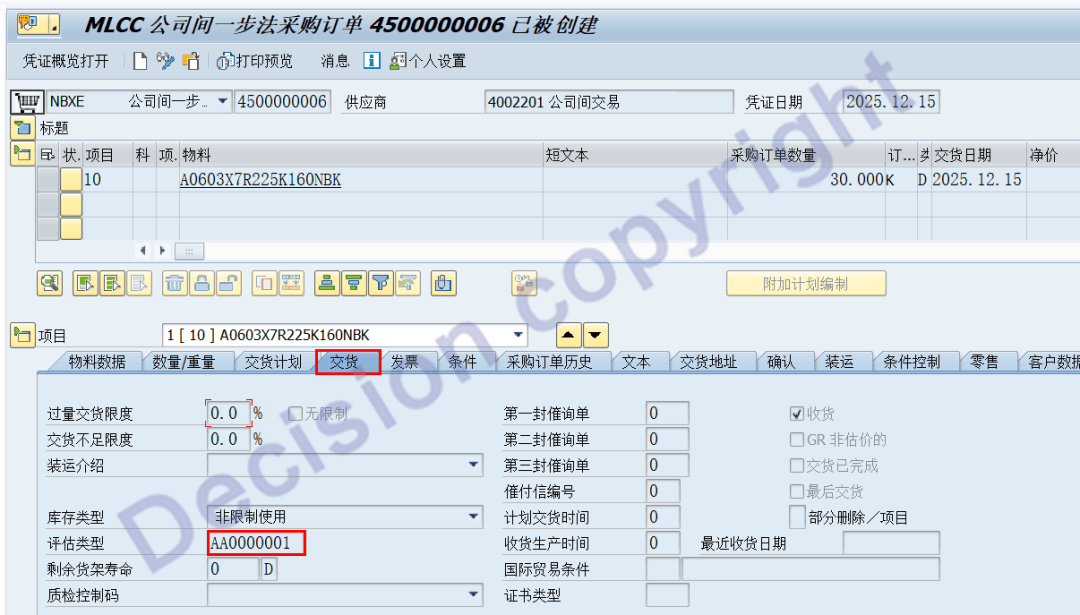
5. In the STO purchase order, the line item delivery tab specifies the evaluation type as: AA0000001.
6. When a sale is shipped using transaction code VL02N, the tracking message number is M7043.
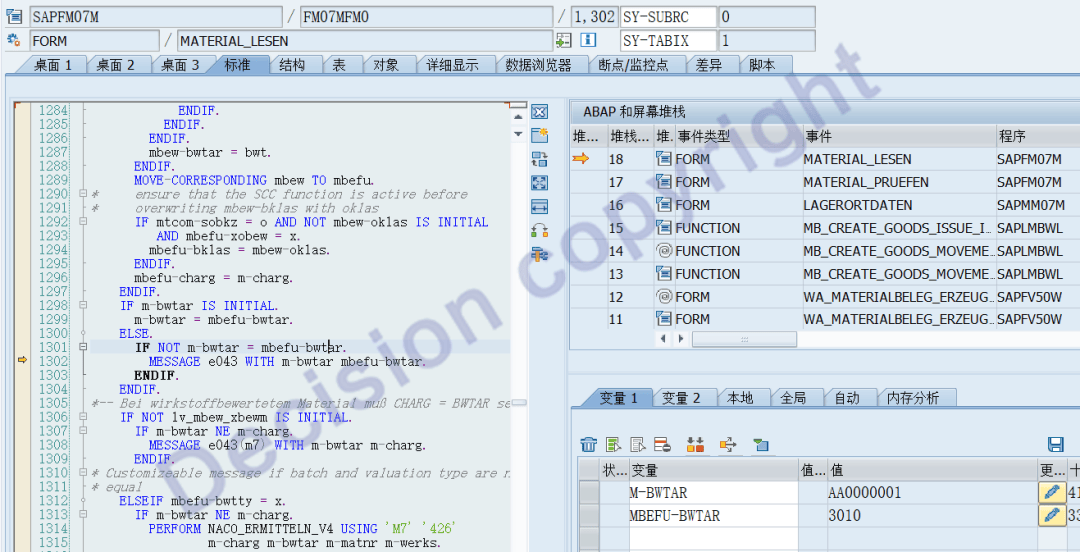
The system detected an inconsistency between two assessment types: AA0000001 and 3010.
Assessment type 3010 indicates that after material A0603X7R225K160NBK (batch AA0000001) was received into the warehouse at factory 1003, the corresponding batch number remained AA0000001. In this case, the system identified assessment type 3010.
Assessment type AA0000001 is the assessment type specified on the delivery tab of the STO purchase order line item.
7. Why is it necessary to specify the valuation type in an STO purchase order?
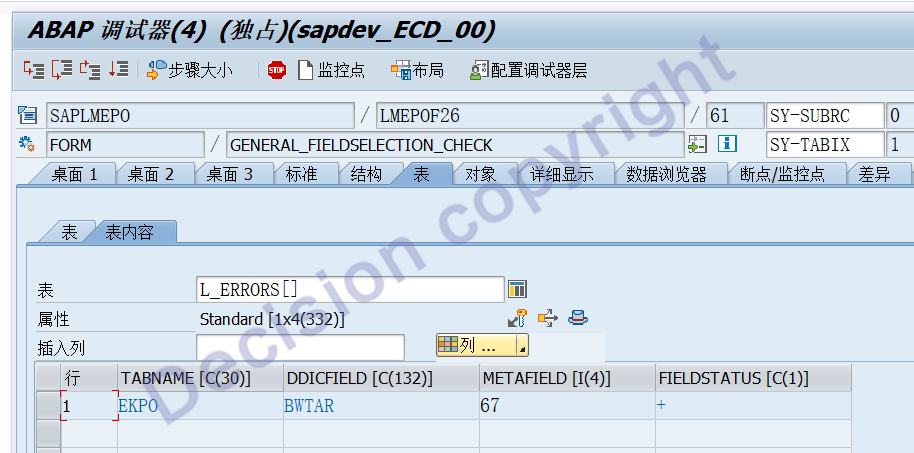
When the material in an STO purchase order line item has split valuation enabled, as shown in the MM03 screen above, where Valuation Category = X, the Valuation Type field will automatically open on the purchase order creation and maintenance screen, and it is required.

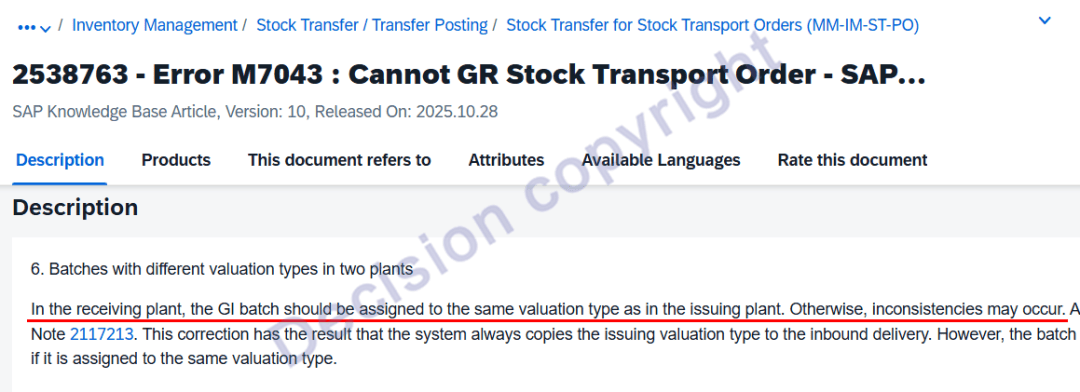
SAP NOTE 2538763 states that the receiving plant batch must specify the same assessment type as the outgoing plant; otherwise, an error will occur.
[Summarize]
Stock Transfer Orders (STOs) handle intra-company transfers in two ways:
* Transfers between different factories within an intra-company
* Purchases and sales between different companies within the same group
For intra-company transfers, EKPO-PSTYP = 7.
For cross-company transfers, EKPO-PSTYP = 0.
The one-step STO method is used by default in "transfers between different factories within an intra-company," and the corresponding STO purchase order interface has the appropriate Valuation type (BWTYP) and GI-based GR (WABWE) fields.
When using the one-step STO method in "purchases and sales between different companies within the same group," the purchasing personnel in the STO purchase order interface are unsure what to input: the valuation type. Furthermore, when encountering VL02N delivery note batch splitting, it is necessary to return to the STO screen to split the line items.
[Solution]
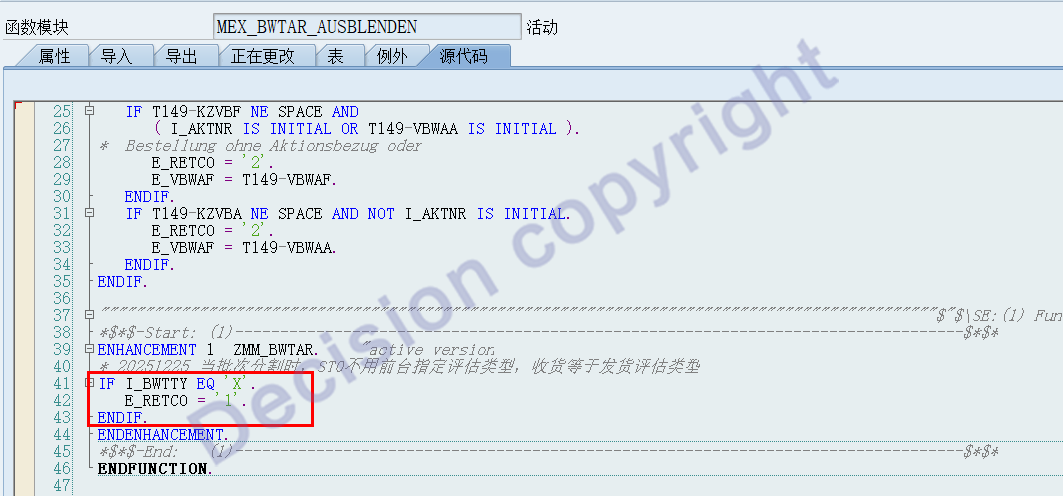
1. Referring to the document "Two Fields BWTYP and WABWE in STO Purchase Orders", the function MEX_BWTAR_AUSBLENDEN is enhanced as follows:
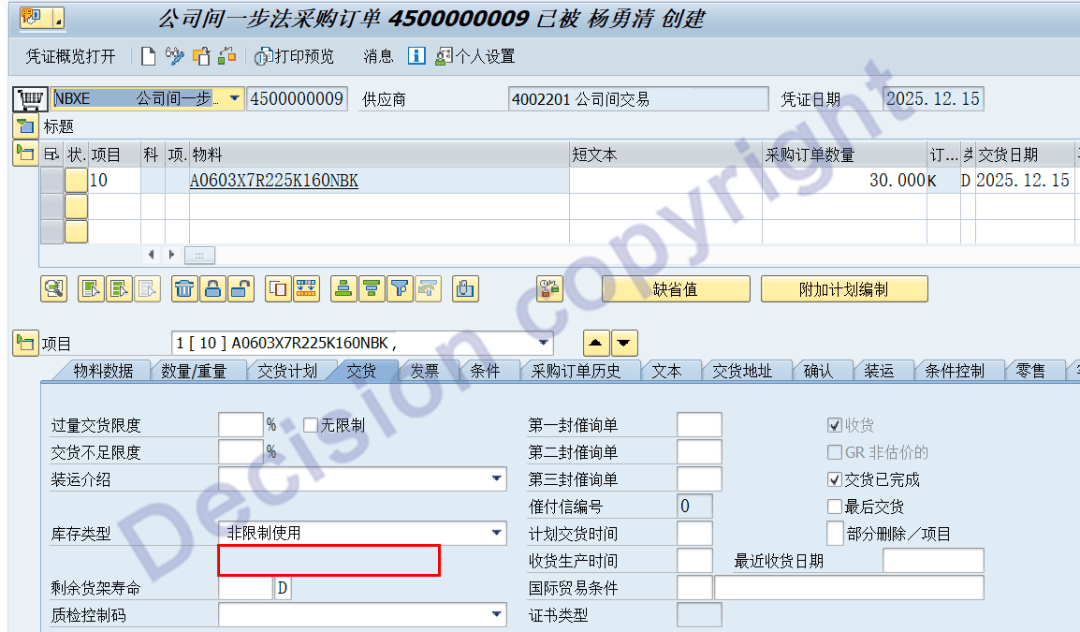
2. When creating an STO purchase order, you can see that the "Evaluation Type" field is hidden in the screen, as shown below:
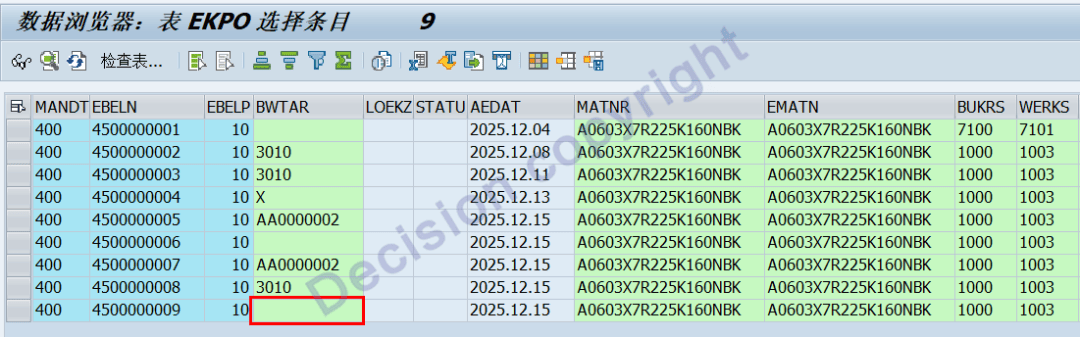
3. After an STO purchase order is created, you can check the EKPO table data and see that the valuation type BWTAR is empty.
4. Transaction code VL10B, create delivery note 70000011.
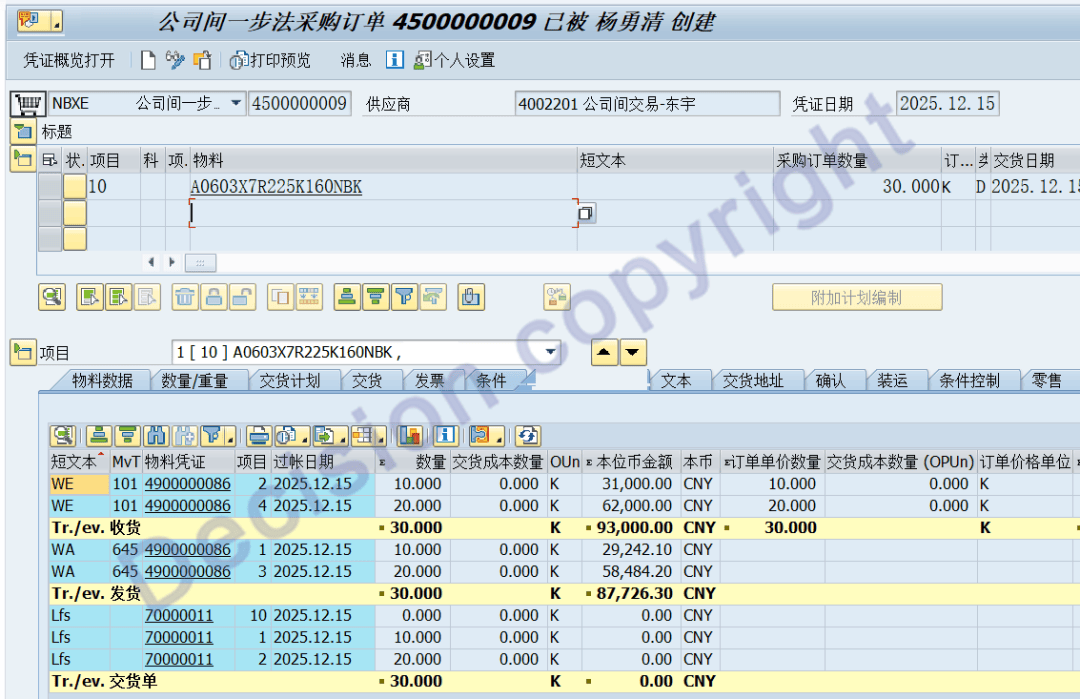
Transaction code VL03N shows that delivery note 70000011, with a quantity of 30K, is split into two batches.
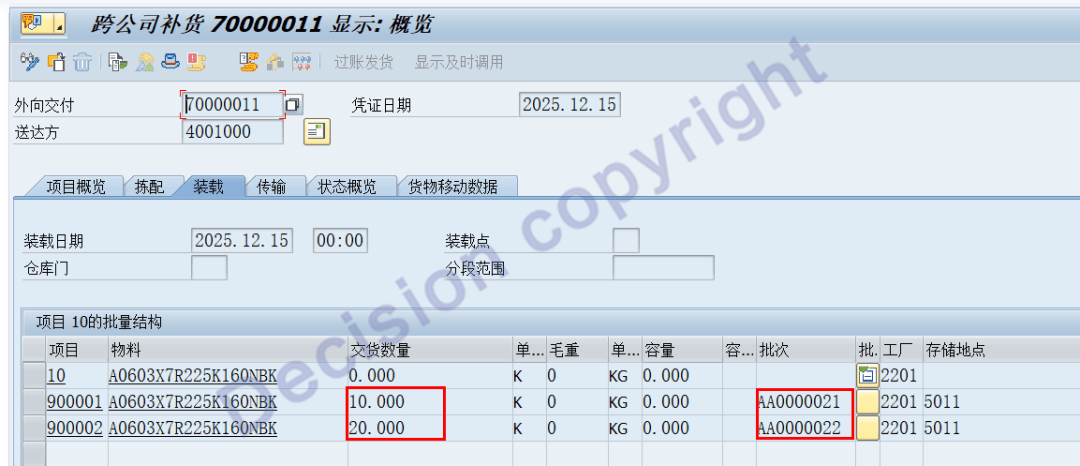
Using transaction code MIGO, view the STO one-step outbound and inbound vouchers as follows:

5. Transaction code CKMLCP View
Seller's outbound cost: 2201 Plant Material A0603X7R225K160NBK Batch/Evaluation type AA0000021.
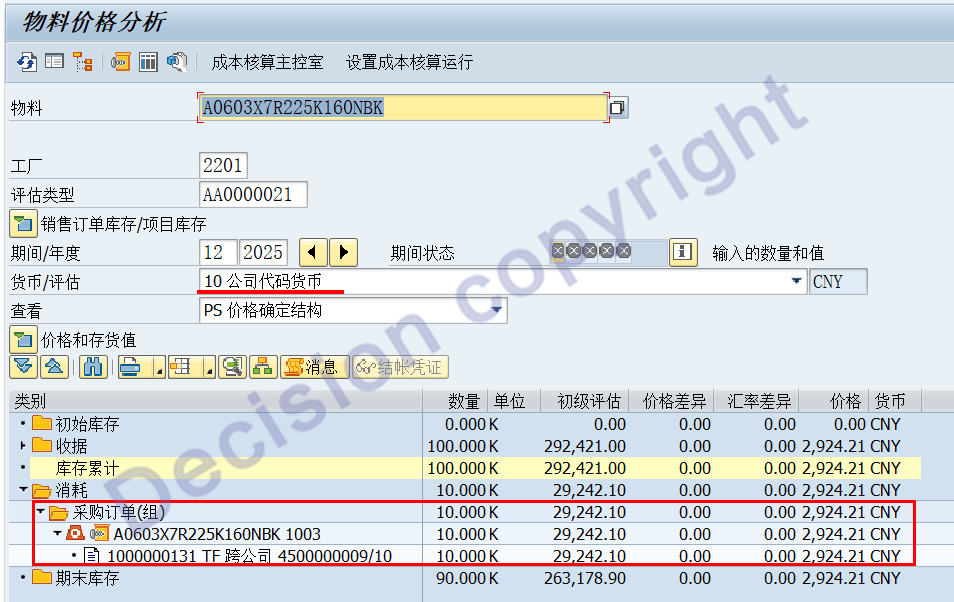
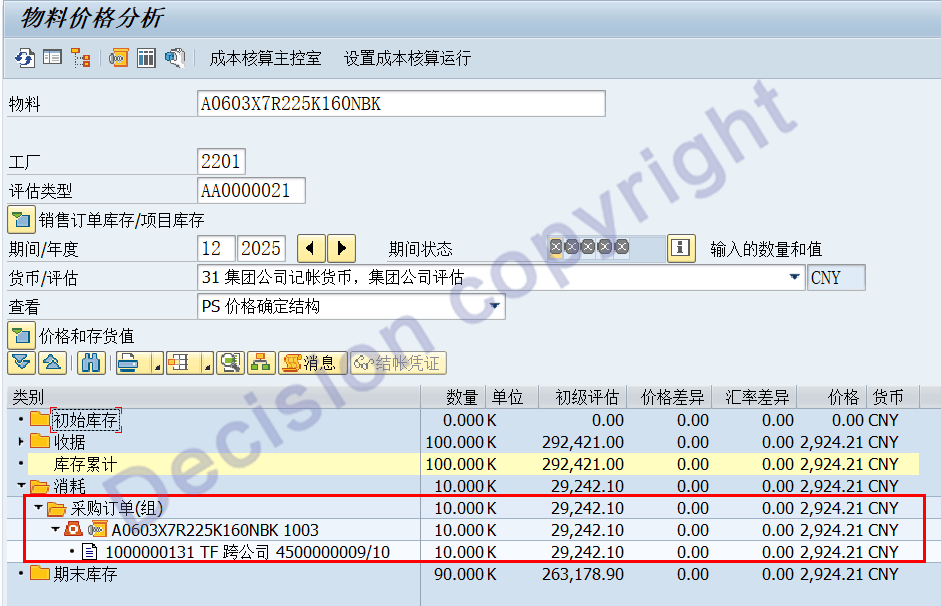
Purchaser's warehousing cost: 1003 Factory Material A0603X7R225K160NBK Batch/Evaluation type AA0000021.

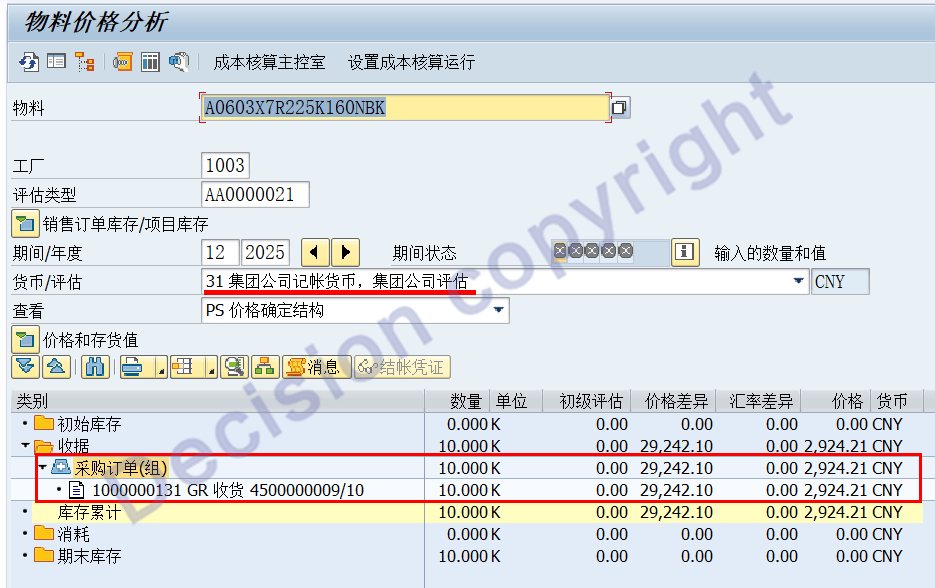
After the above STO process, the group's cost restoration data is normal.
Note:
2538763 - Error M7043 : Cannot GR Stock Transport Order - SAP ERP & SAP S/4 HANA
2117213 - Incorrect valuation type in inbound delivery during stock transfer processing
1712162 - Error M7043 in goods receipt for outbound delivery in MIGO
1677707 - Determining the valuation type for stock transport orders at the time of GI
Important fields:
EKPO-WABWE
EKPO-BWTAR
【Service Guide】
For more information on SAP courses, project consultation and operation and maintenance, please call Decision's official consultation hotline: 400-600-8756

【About Decision】
Global professional consulting, technology and training service provider, SAP gold partner, SAP software partner, SAP implementation partner, SAP official authorized training center. Twenty years of quality, trustworthy!