






 Time: 2026-02-10
  Views: 930

[Foreword]
Decision has been deeply involved in the SAP field for more than 20 years and has been praised by many customers. In order to better help customers implement digital projects, the "Decision Expert Column" is completely free and open source, paying tribute to Musk's open source spirit!
Based on the senior capabilities of Decision's expert consultant team with more than 20 years of SAP experience, combined with Decision's 1,000+ successful project cases, this article summarizes and publishes the corresponding research experience and suggestions of enterprises in promoting ERP project implementation, and continues to escort the SAP implementation and delivery of enterprises.
[Problem description]
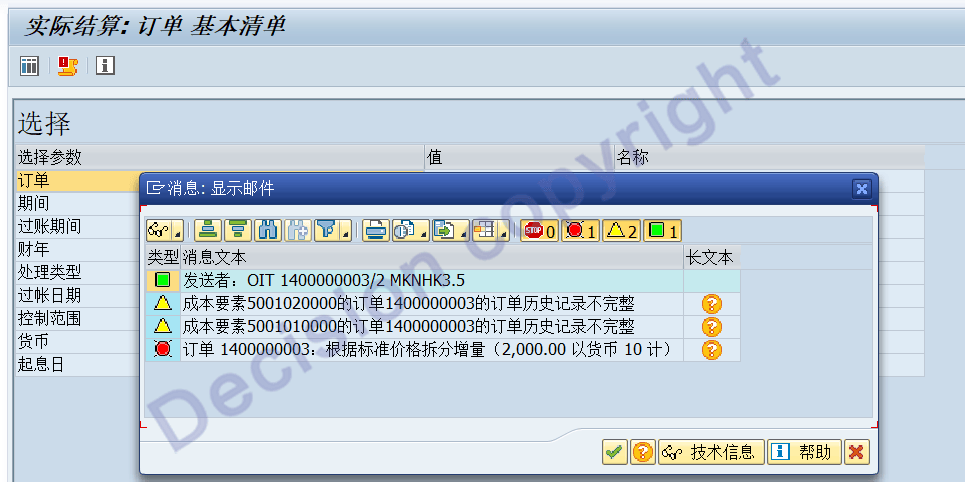
When settling a production order at transaction code KO88, the system displays error code MLCCS015, as shown in the image below. What could be the reason for this? How can it be resolved?

[Problem Analysis]
1. SAP also provides a universal solution: Instead of recalculating the actual cost component amount, the total actual cost amount is broken down according to the standard cost component ratio, and this breakdown is used as the actual cost component amount.
Run the program: MLCCS_KO88_TREATMENT, and process as follows. Note: The specified order number must be entered.
For detailed operating steps, please refer to 1521506 - [VIDEO] Settlement error MLCCS099 & others
The following are brief operating steps.
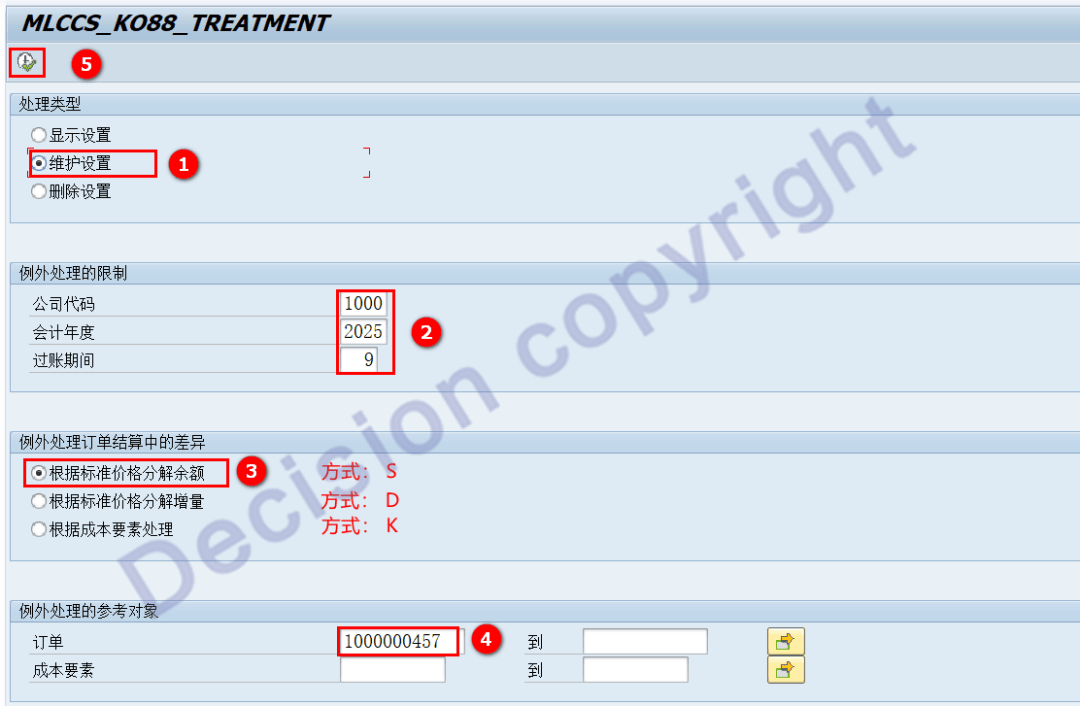
The message above prompts you to use method D for processing.
2. The message means: The cost amount of 2000 yuan cannot be found as a cost component;
In other words, the subtotal of cost components does not match the total cost of the production order.
3. We can further analyze transaction code CO03 to view the production order cost and find that the aforementioned 2000 yuan cost is in the following data row:
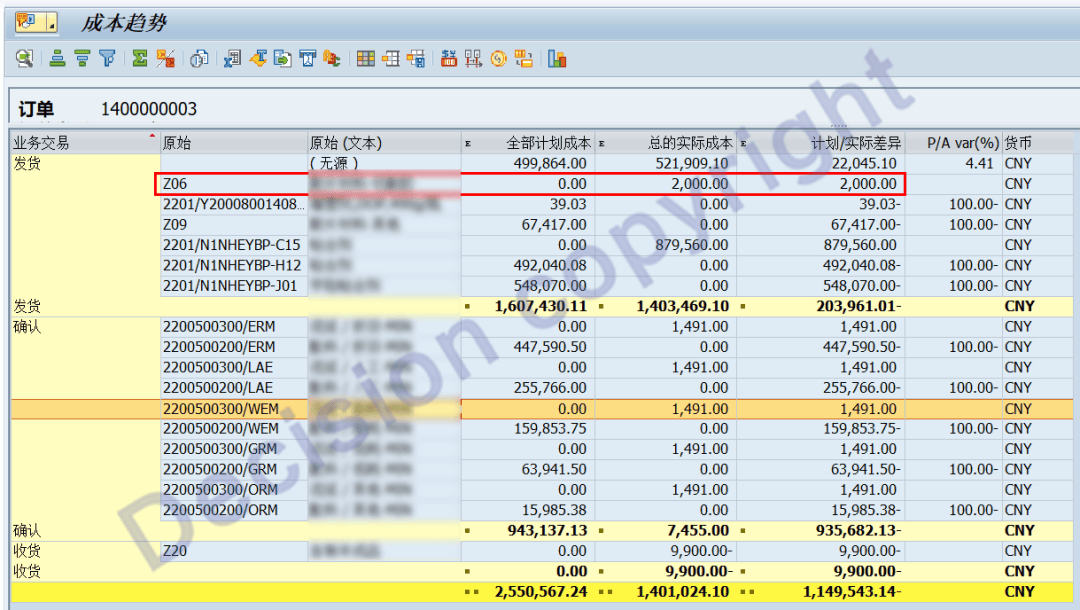
Double-click the data line with 2000 yuan to trace back to the material requisition voucher. You can see that the factory is 2201 and the material is Y2001900893320.
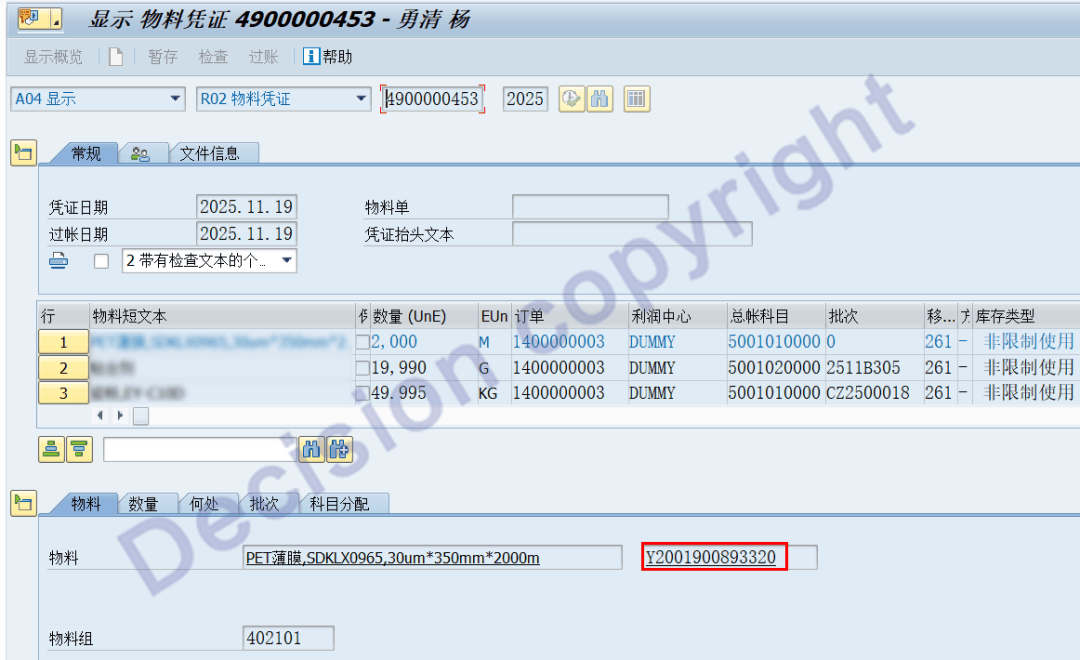
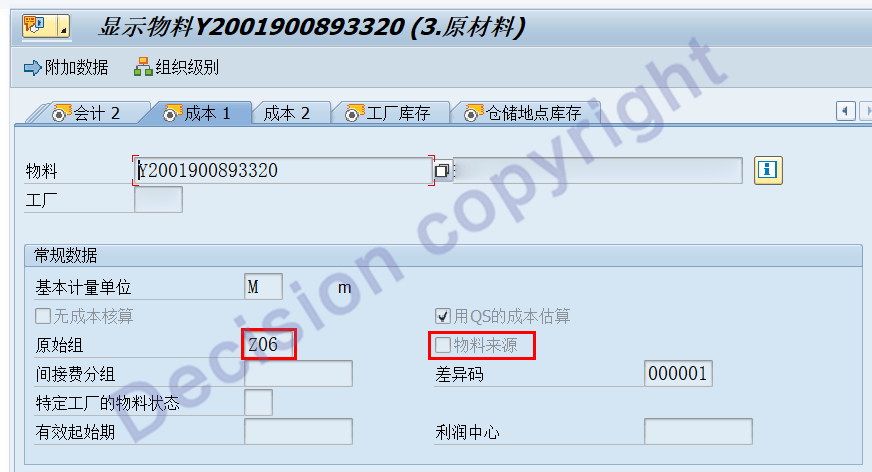
Double-click the material number to view the cost view: it turns out that the source group was maintained, but the material source was not selected.
[Solution]
1. Orders already produced and issued should be processed using the program: MLCCS_KO88_TREATMENT.
2. Correct material master data: The source group has been maintained; the "Material Source" option must be selected.
【Service Guide】
For more information on SAP courses, project consultation and operation and maintenance, please call Decision's official consultation hotline: 400-600-8756

【About Decision】
Global professional consulting, technology and training service provider, SAP gold partner, SAP software partner, SAP implementation partner, SAP official authorized training center. Twenty years of quality, trustworthy!