






 Time: 2026-02-04
  Views: 2195

[Foreword]
Decision has been deeply involved in the SAP field for more than 19 years and has been praised by many customers. In order to better help customers implement digital projects, the "Decision Expert Column" is completely free and open source, paying tribute to Musk's open source spirit!
Based on the senior capabilities of Decision's expert consultant team with more than 20 years of SAP experience, combined with Decision's 1,000+ successful project cases, this article summarizes and publishes the corresponding research experience and suggestions of enterprises in promoting ERP project implementation, and continues to escort the SAP implementation and delivery of enterprises.
[Problem description]
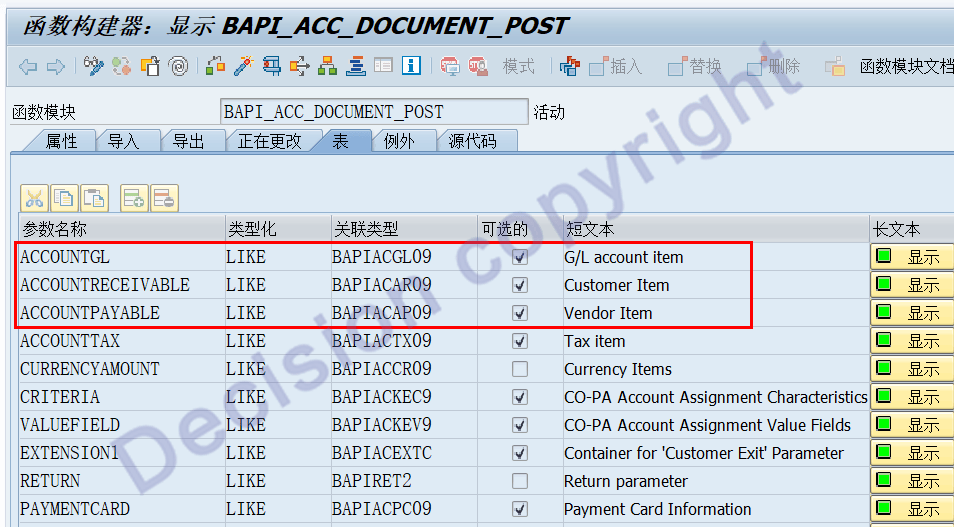
The financial voucher processing function `BAPI_ACC_DOCUMENT_POST` is a commonly used voucher processing function. When calling this function, three internal tables `ACCOUNTGL`, `ACCOUNTRECEIVABLE`, and `ACCOUNTPAYABLE` are used to input the corresponding voucher line item data. However, there are no internal table line items with account type = "A Asset" here. Does `BAPI_ACC_DOCUMENT_POST` support asset-related transactions?
[Problem Analysis]
1. The function BAPI_ACC_DOCUMENT_POST was created in SAP R3 and was not designed to support asset business processing.
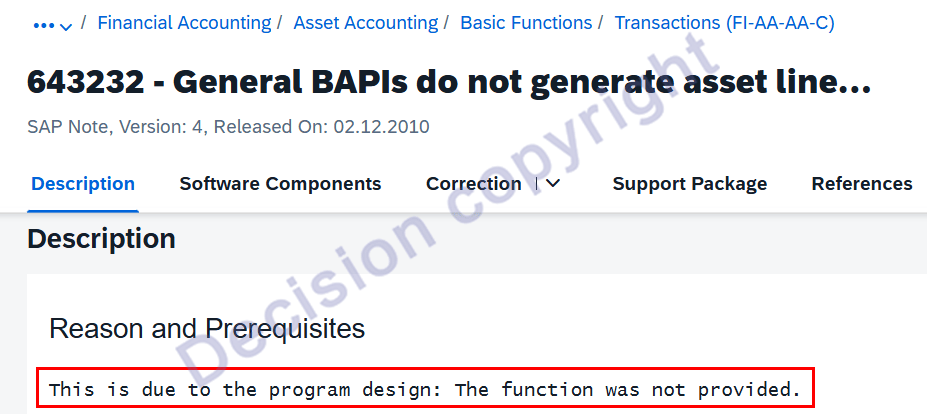
Note 643232 - General BAPIs do not generate asset line items provides an explanation:
NOTE 3608570 - In BAPI_ACC_DOCUMENT_POST comes the error message "Account * in company code * cannot be directly posted to". It is recommended that users use the transaction code of the asset module to handle asset transactions instead of directly using BAPI_ACC_DOCUMENT_POST.
2. The function `BAPI_ACC_DOCUMENT_POST` is used for batch uploading vouchers via interfaces or programs. It works well, but it cannot import internal table line items for account type A (Asset) or account type M (Material), leaving users wanting more. While the inability to import for account type M (Material) is understandable, the inability to import for account type A (Asset) is indeed a functional limitation.
3. Subsequent SAP software improvements include: `BAPI_ACC_DOCUMENT_POST` now only supports asset acquisition processing. SAP provides details on this in NOTE 643232.
① Only supports asset acquisition transactions.
② Regardless of whether there is a posting in the "Asset Acquisition Clearing Counterparty Account," transaction code AO90 must be configured with the account.
③ When posting: specify object type OBJ_TYPE = Z* or OBJ_TYPE = BKPFF and BUS_ACT = RFBU.
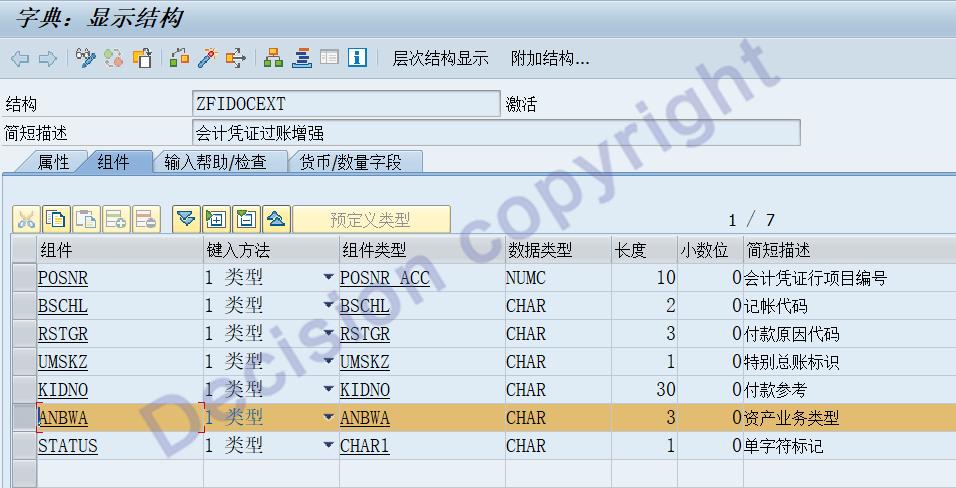
④ **Asset transaction type:** This must be specified and implemented through the extended structure of `BAPI_ACC_DOCUMENT_POST`.
⑤ **Account type:** Line item for asset A. This is filled in using the internal table `ACCOUNTGL`. The account must be the same as the account configured in transaction code AO90, and the asset number must be entered in the line item.
⑥ **Asset posting amount:** Both 00 (business currency amount) and 10 (functional currency amount) must be entered. `BAPI_ACC_DOCUMENT_POST` cannot calculate this automatically.
[Solution]
1. Transaction code SE11 adjusts the expanded structure of the BAPI field to add the ANBWA asset transaction type.
2. Adjust the uploaded voucher template to include: Asset Number and Asset Transaction Type.
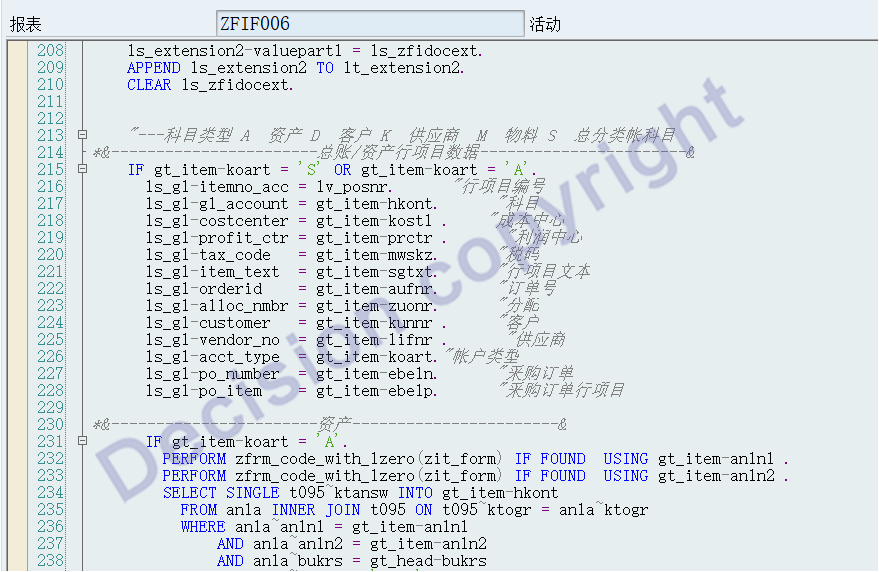
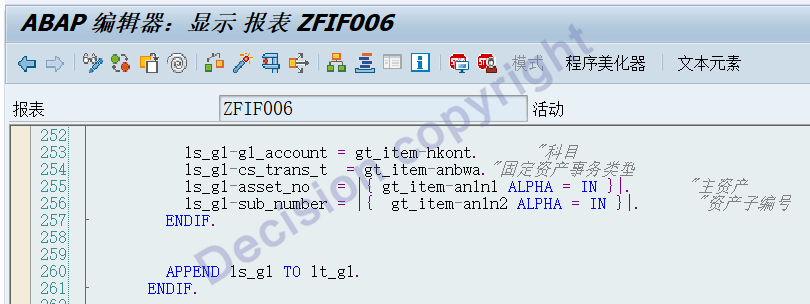
3. Modify the voucher upload program to handle transactions where the account type is Asset A.
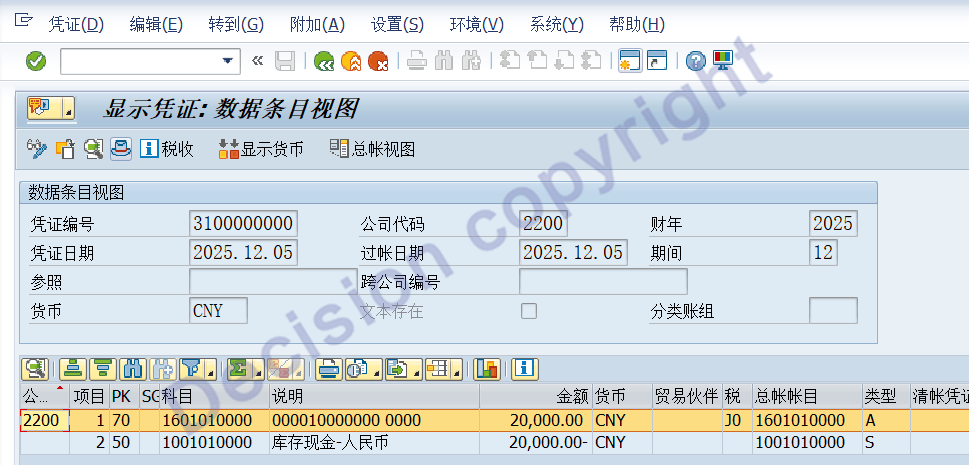
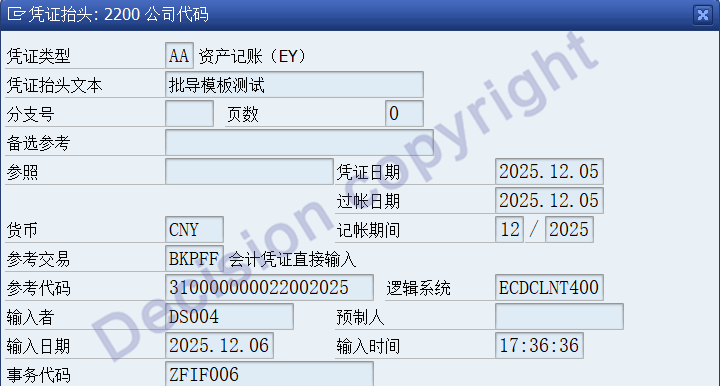
4. After the voucher was successfully uploaded, transaction code FB03 checked the voucher, and the voucher was found to be normal, as follows:
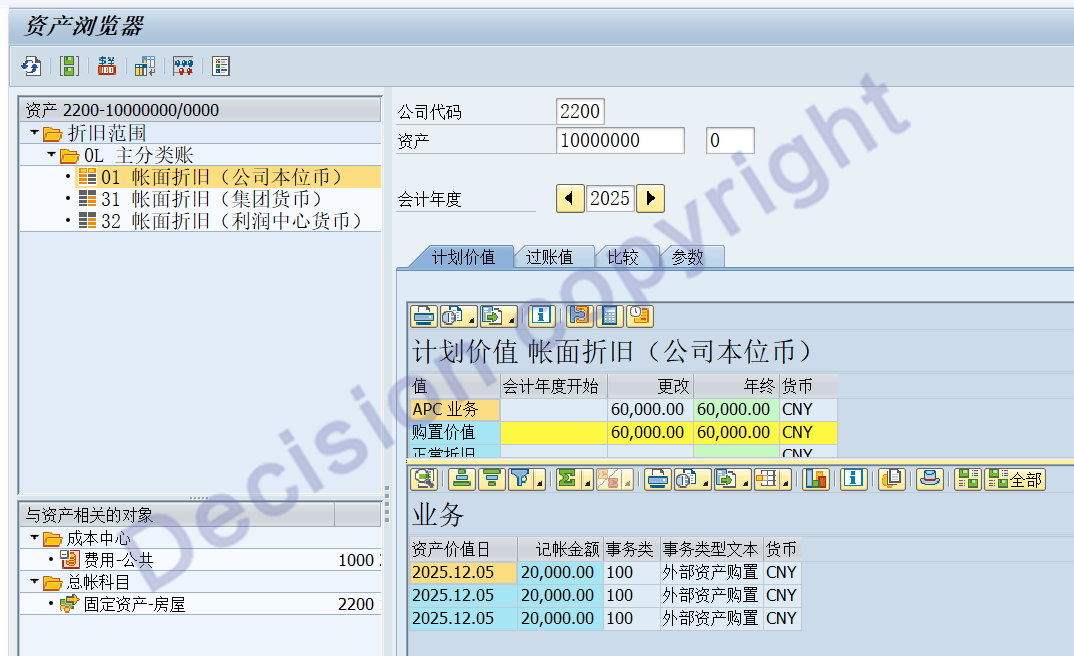
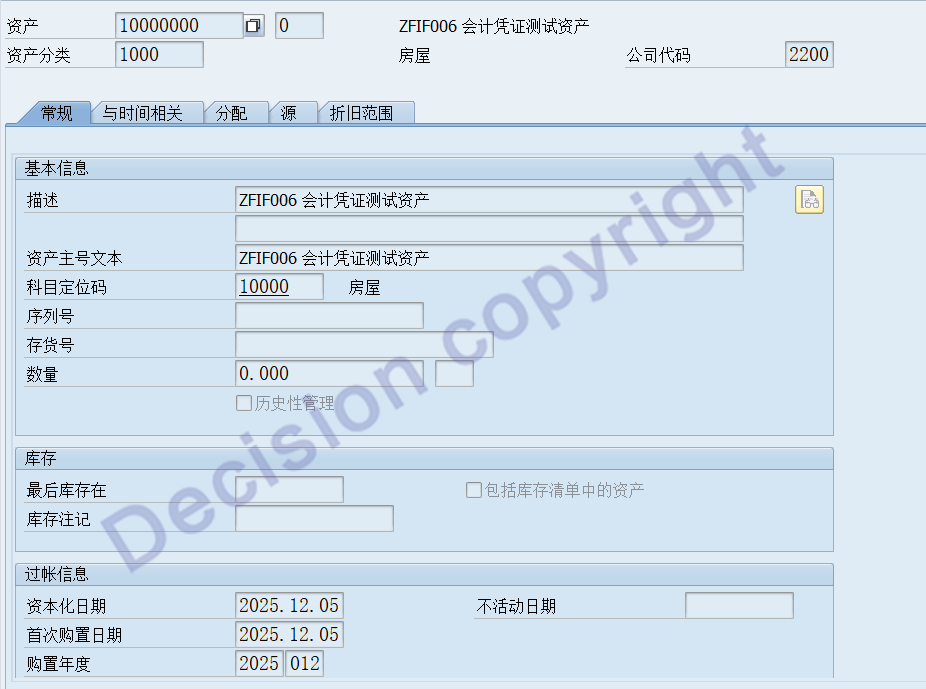
5. Transaction code AS03 View asset transactions
Asset acquisition capital transactions are processed normally, as follows:
NOTES:
643232 - General BAPIs do not generate asset line items
3528661 - Error AA326 Enter a Transaction Type During Integrated Asset Acquisition with BAPI_ACC_DOCUMENT_POST
3608570 - In BAPI_ACC_DOCUMENT_POST comes the error message "Account * in company code * cannot be directly posted to"
【Service Guide】
For more information on SAP courses, project consultation and operation and maintenance, please call Decision's official consultation hotline: 400-600-8756

【About Decision】
Global professional consulting, technology and training service provider, SAP gold partner, SAP software partner, SAP implementation partner, SAP official authorized training center. Twenty years of quality, trustworthy!