

[Decision Expert Column] Article 98: SAP Management Accounting - How to adjust the folder text in the CKM3N screen?
Time: 2025-12-31
Views: 106


[Foreword]


Decision has been deeply involved in the SAP field for more than 19 years and has been praised by many customers. In order to better help customers implement digital projects, the "Decision Expert Column" is completely free and open source, paying tribute to Musk's open source spirit!

Based on the senior capabilities of Decision's expert consultant team with more than 20 years of SAP experience, combined with Decision's 1,000+ successful project cases, this article summarizes and publishes the corresponding research experience and suggestions of enterprises in promoting ERP project implementation, and continues to escort the SAP implementation and delivery of enterprises.


[Problem Description]


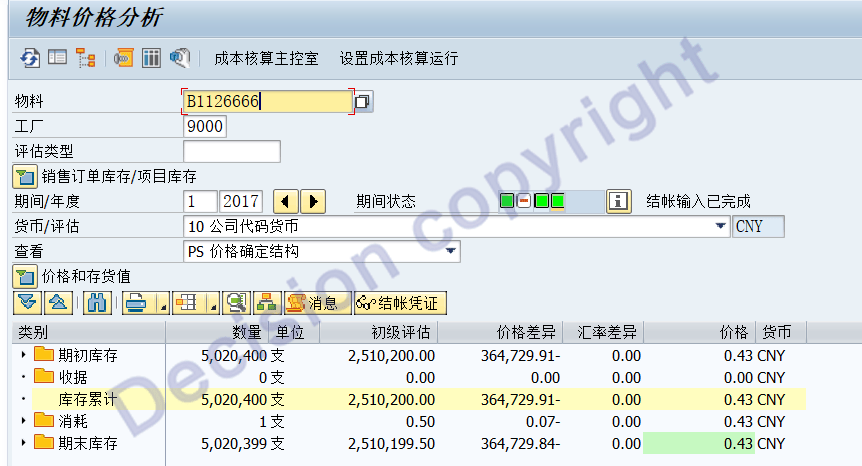
The text items such as receipts and consumption in the CKM3N transaction screen are confusing. How can they be corrected according to Chinese language habits?
 

1.CKM3N in ECC system

Before modification:


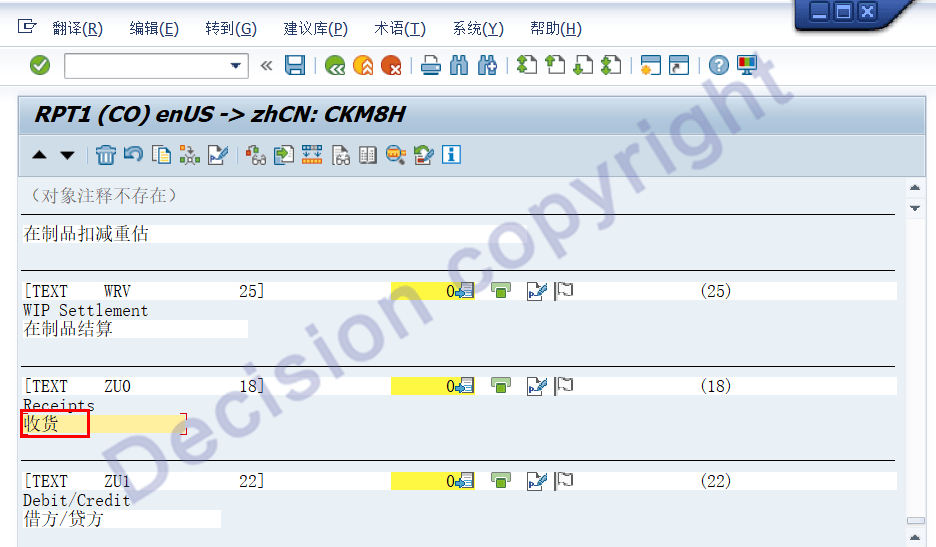
To modify SAP's default text: Enter transaction code SE16, input DD07T, enter the field CKML_CATEG, and the language ZH.

For secondary items, also known as processing types in SAP, you can modify the following: Enter transaction code SM30, view V_CKMLMV01, click Maintenance, and then modify the settings.


Revised version:


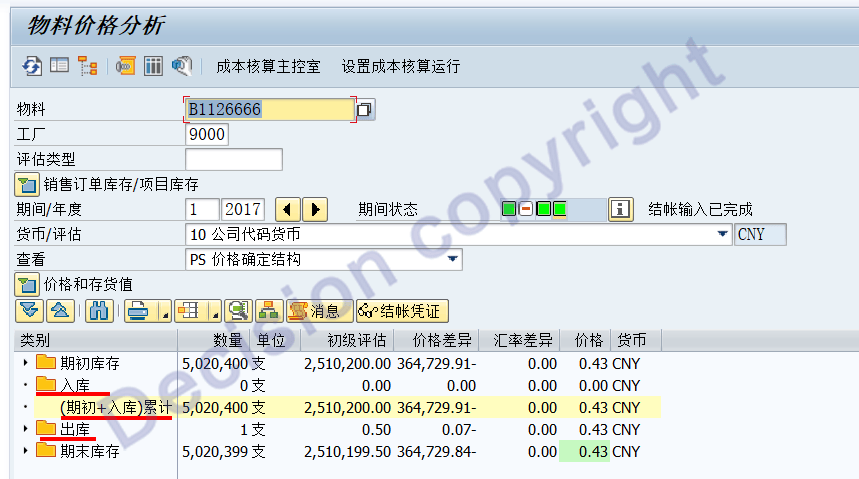
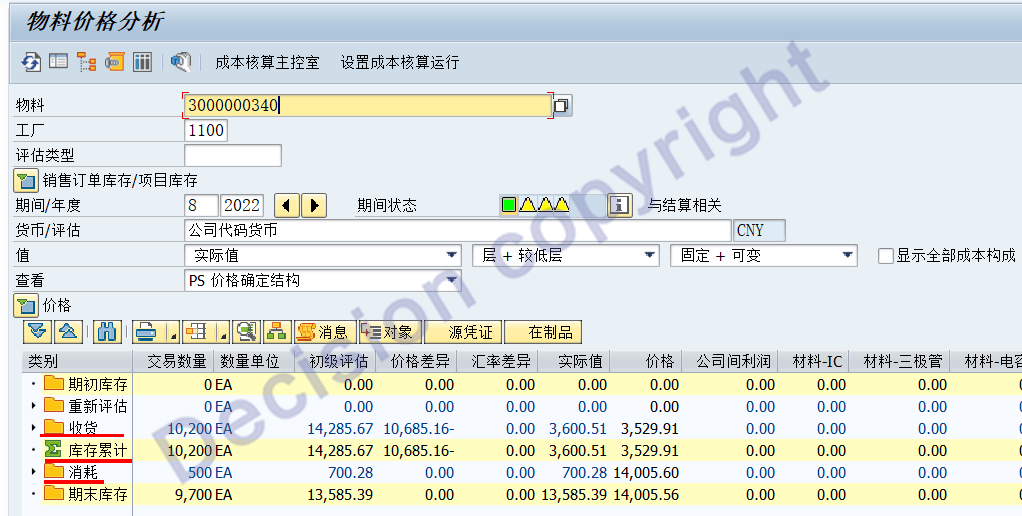
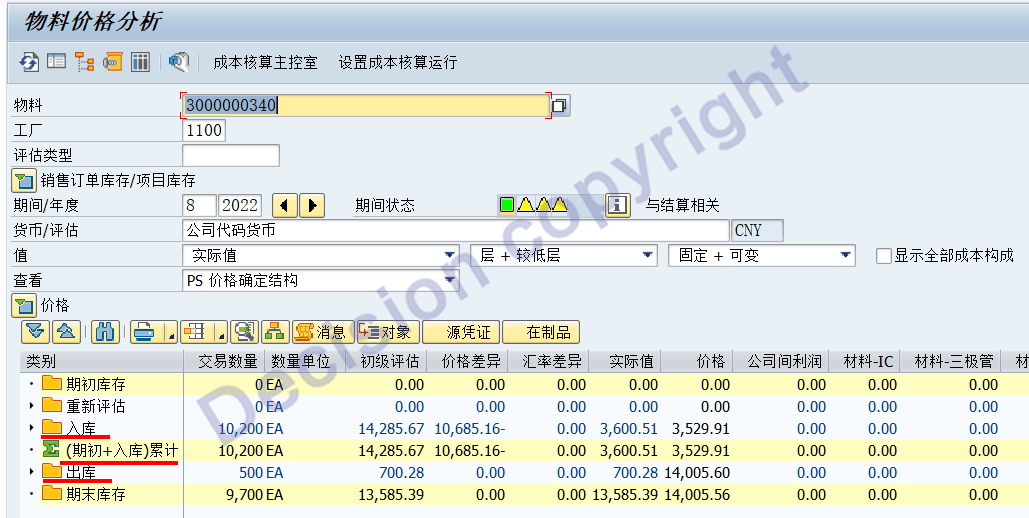
2.CKM3N in S4 system

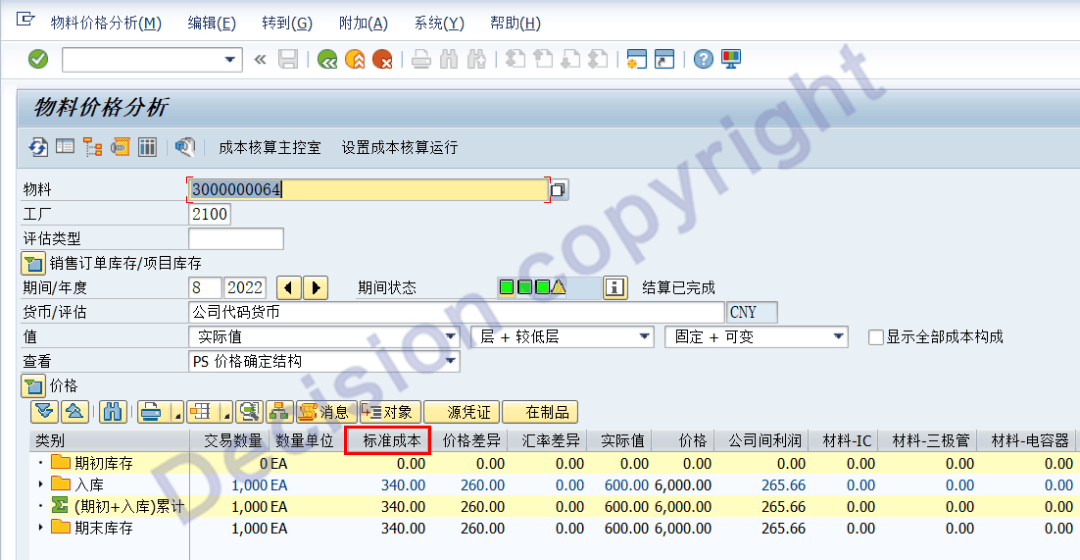
Before modification:


Modification method:


ZU0 Goods Received --> Change to: Inbound
VN0 Consumption --> Change to: Outbound
KB0 Cumulative Inventory --> Change to: (Beginning Balance + Inbound) Cumulative


Revised version:


In the S4 system, for level 2 projects, SAP also refers to them as "processing types," which can be modified: SM30 transaction code, input view: V_CKMLMV01, click "Maintain," and then modify the interface.
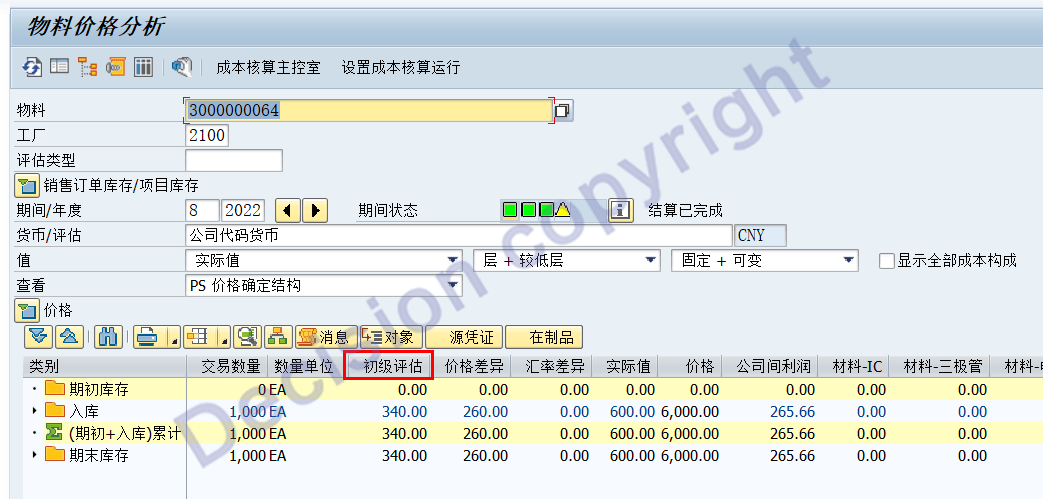
Also, for "Primary Assessment," it's always necessary to explain to the user what it is; it's better to just change it directly.

Before modification:


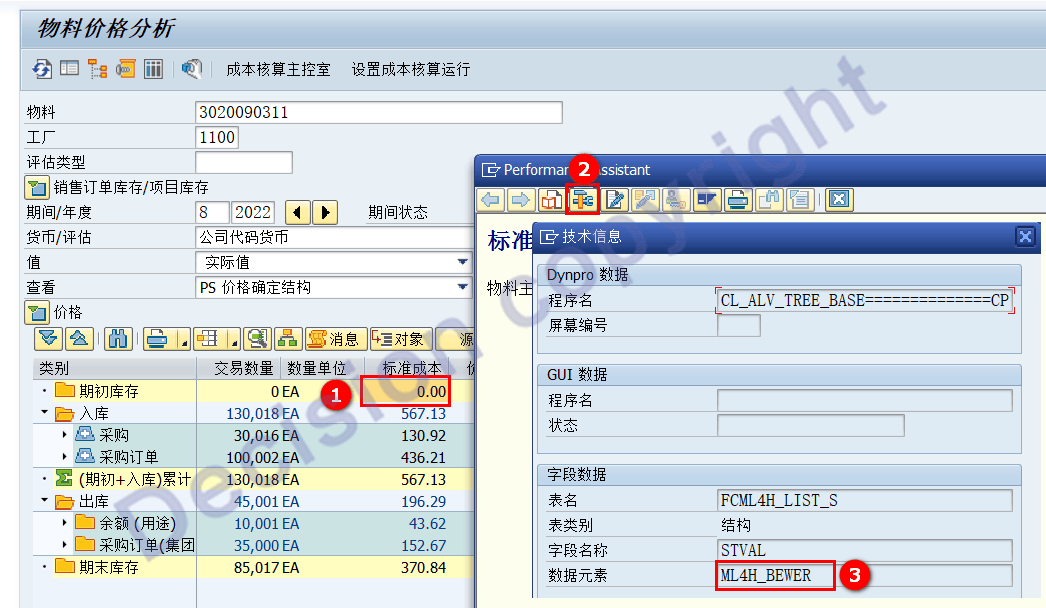
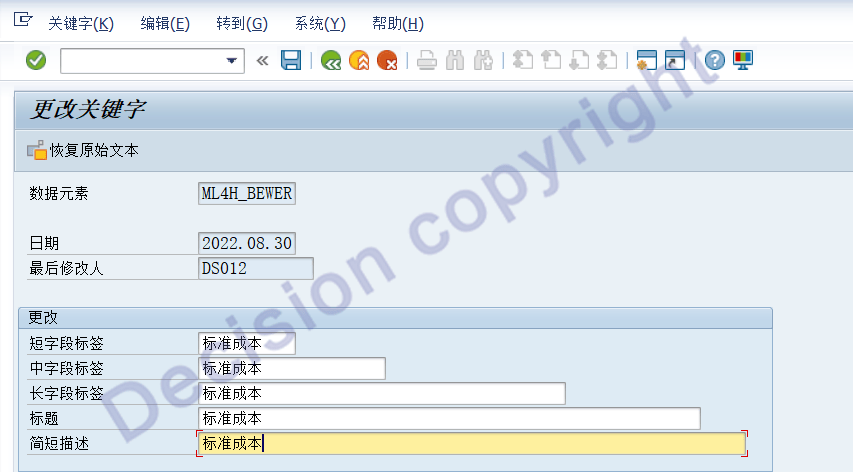
Check what the data element of this field is: here it is ML4H_BEWER (in ECC6.0 it is KKB_ML_BEW).


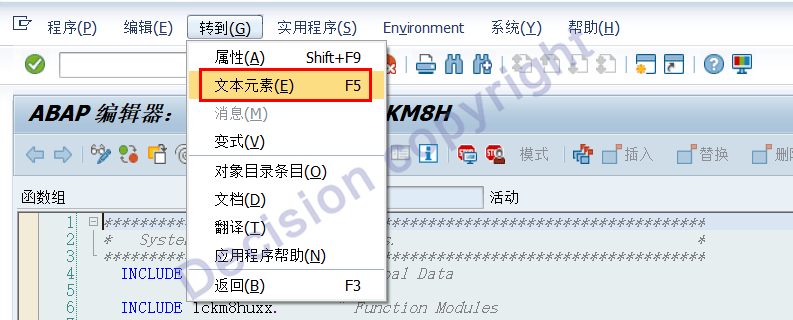
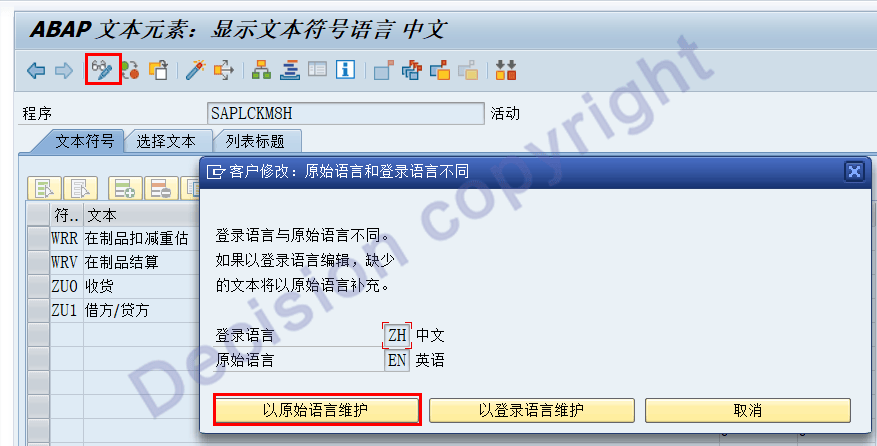
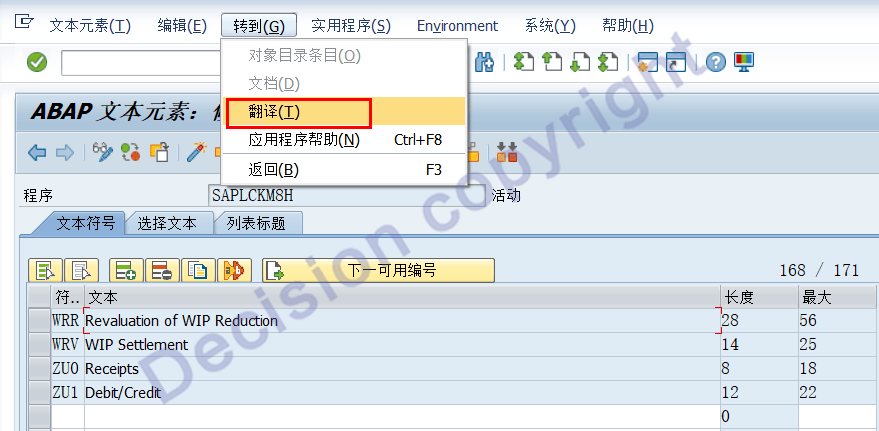
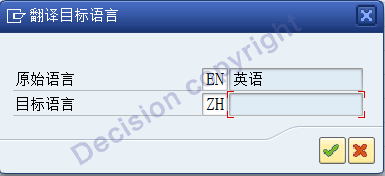
The modification process uses transaction code CMOD.


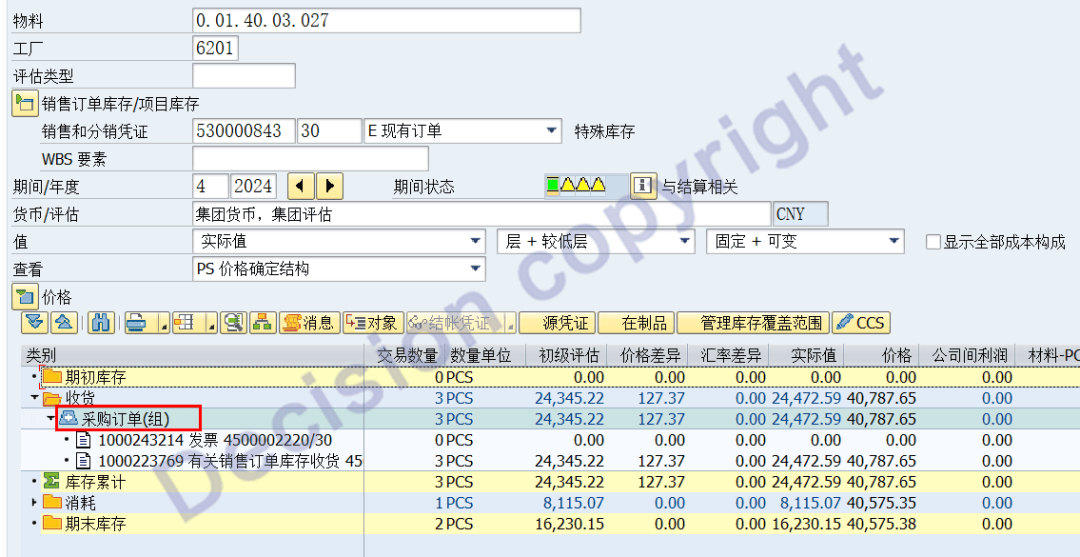
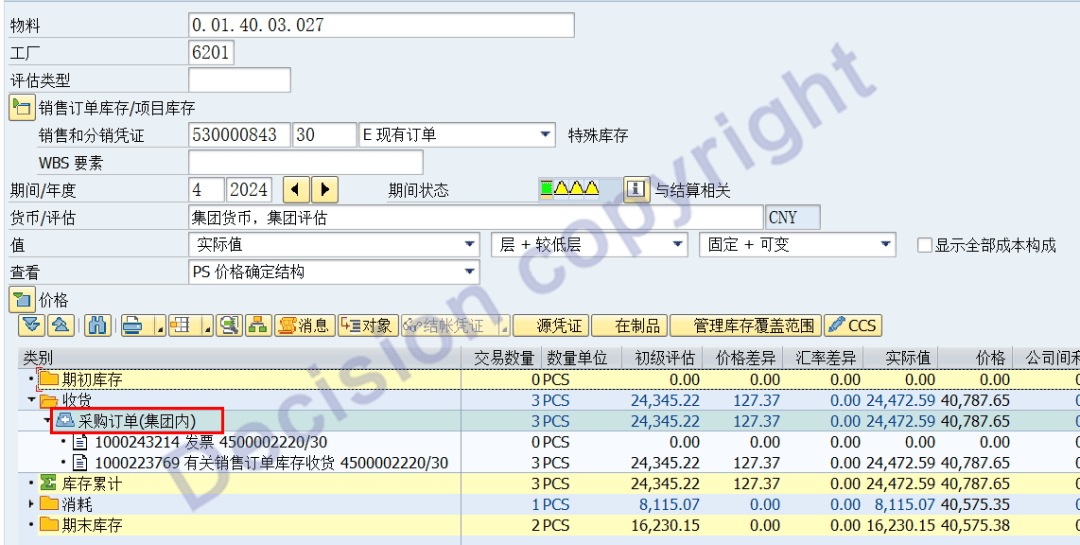
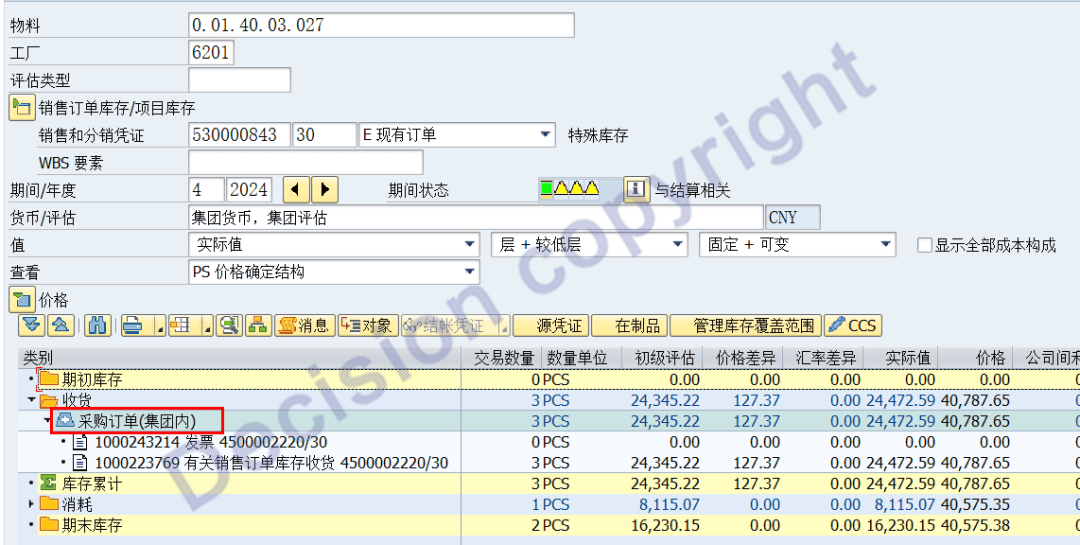
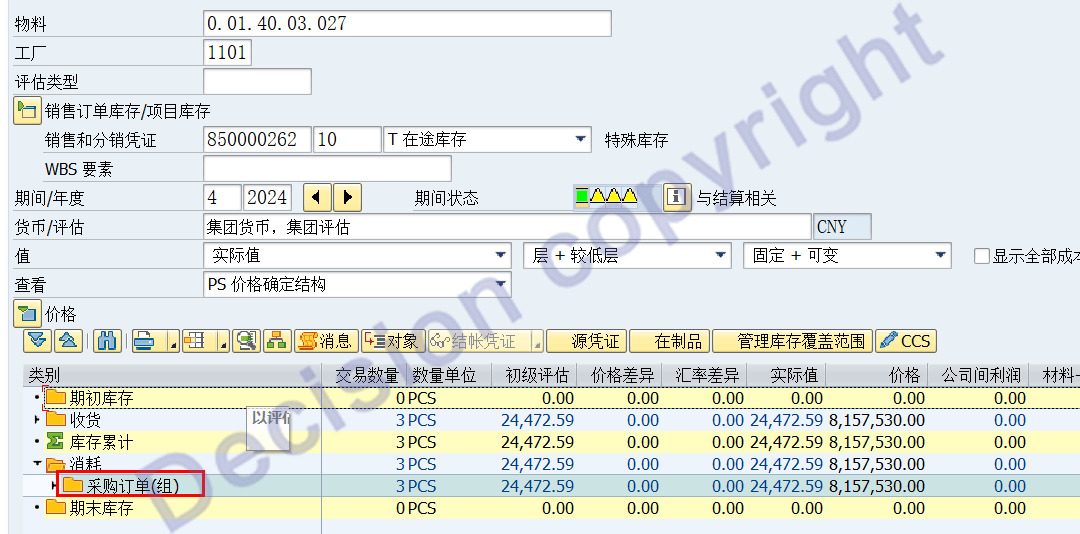
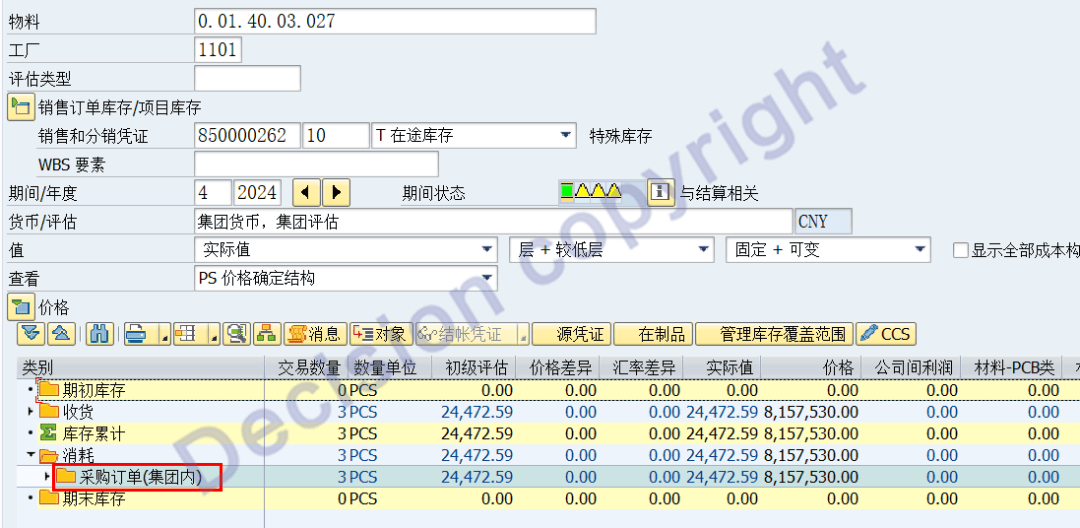
The transaction code CKM3N in the screen represents: intra-group procurement receipt and intra-group sales shipment.

Before modification:


Revised version:


Before modification:


Revised version:


Revised version:


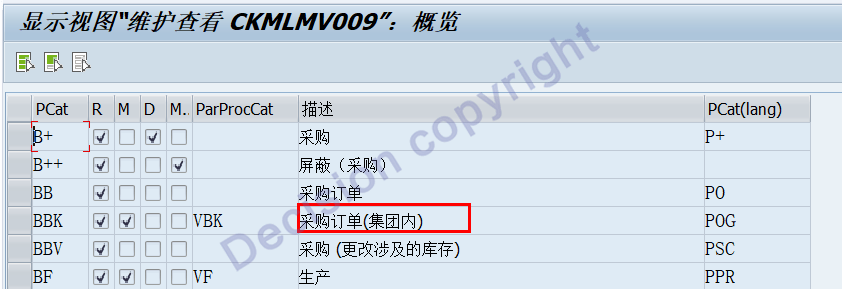
Modification method: Transaction code SM30, view V_CKMLMV01.
Change the BBK/VBK names as follows:


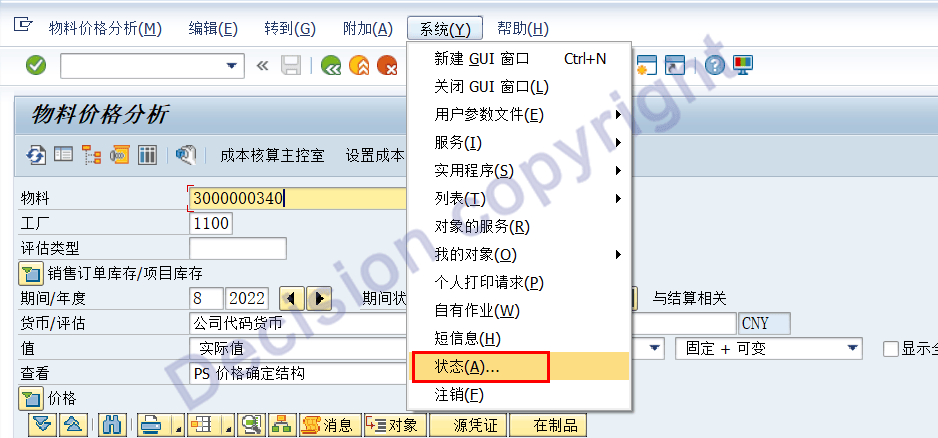
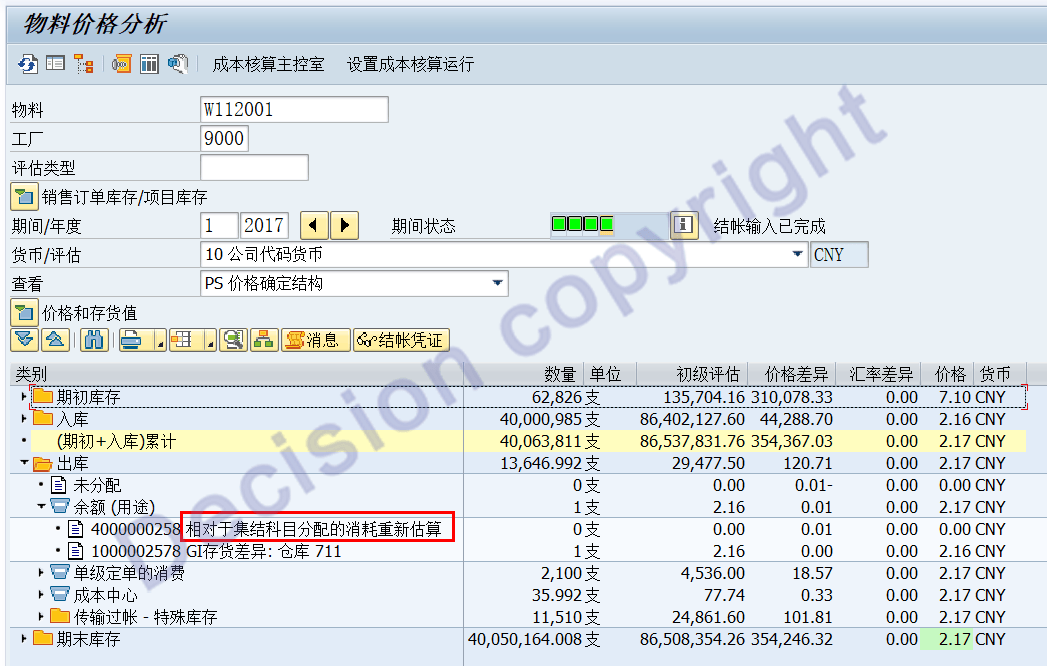
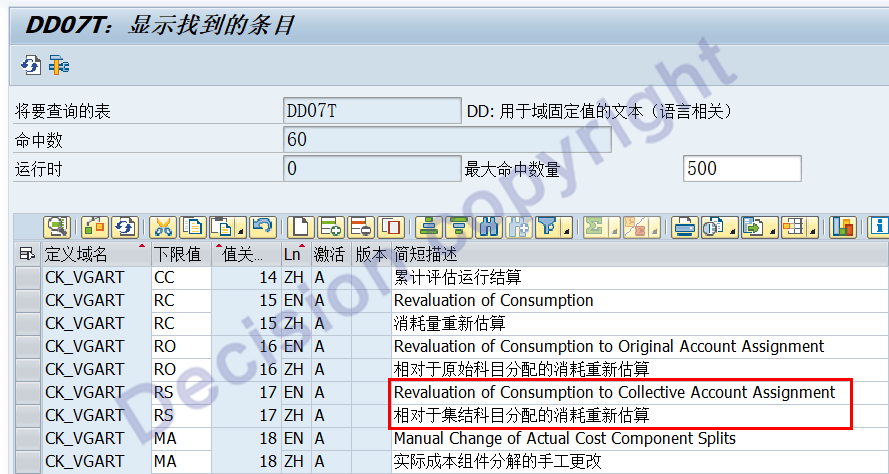
Appendix: In the ECC system, when a user asked what "re-estimation of consumption relative to the allocation of rally subjects" meant, I paused for a moment and could only continue processing this jumbled text:


Transaction code: SE16N. Input data table DD07T, input keyword: CK_VGART. Material ledger - Business processing/Event type.
Language: Input EN, ZH


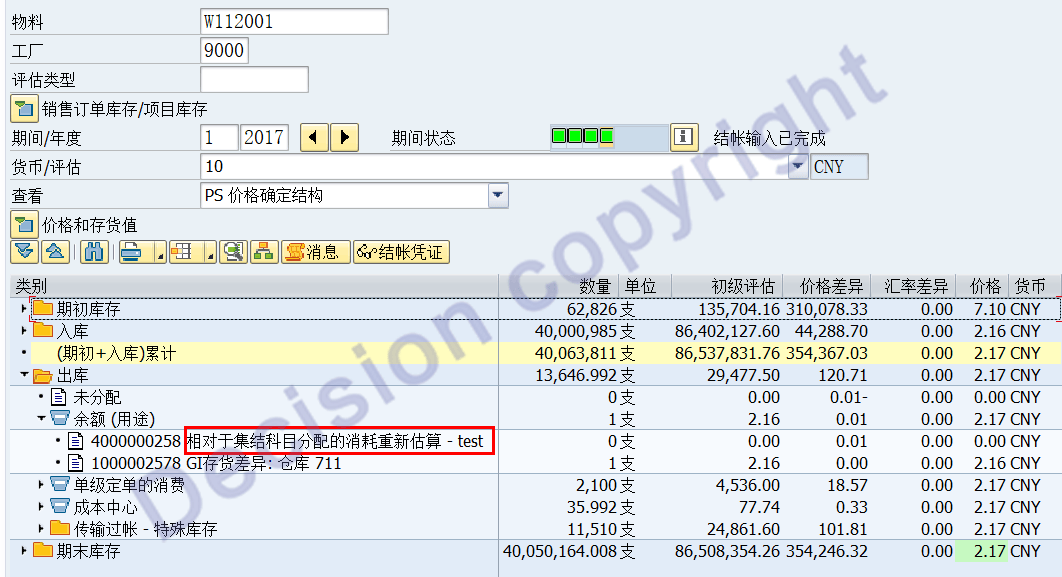
Let's test and make some changes:


The transaction code CKM3N shows that the text has been successfully modified on the front end.

The suggested Chinese translations are as follows; whether to use these Chinese texts is up to you:

Revaluation of Consumption to Original Account Assignment: Different revaluations of original cost objects;

Revaluation of Consumption to Collective Account Assignment:

The cost of COC centralized revaluation differs for non-retrospective cost objects.


【Service Guide】
For more information on SAP courses, project consultation and operation and maintenance, please call Decision's official consultation hotline: 400-600-8756


【About Decision】
Global professional consulting, technology and training service provider, SAP gold partner, SAP software partner, SAP implementation partner, SAP official authorized training center. Nineteen years of quality, trustworthy! 

Online
Wechat
Phone
400-600-8756